Two years ago most people in Sri Lanka who used AI had only tried ChatGPT. In 2026 the choice is wider: Google’s Gemini is built into Android phones and Gmail, Microsoft’s Copilot sits inside Windows and Office, and Anthropic’s Claude has a strong following among writers and programmers. All four have free versions and paid plans of about USD 20 a month. This guide compares them honestly for everyday use at home, in study and at work, with notes on Sinhala and Tamil, privacy and the practical question of whether a paid plan is worth it.
Key points
- All four assistants have useful free versions. Paid plans cost about USD 20 a month and mainly add higher limits and newer features.
- ChatGPT is the most widely used AI tool in Sri Lanka, with Gemini growing fast, according to a 2026 digital outlook survey.
- Gemini suits Android and Gmail users, Copilot suits Windows and Office users, Claude is strong for long writing, and ChatGPT is the best all-rounder.
- Sinhala and Tamil answers are improving but still uneven, so check important text carefully.
The four assistants in brief
Each assistant is made by a different company and is built around its strengths. They all answer questions, write and edit text, summarise documents, help with homework and code, and can search the web for current information.
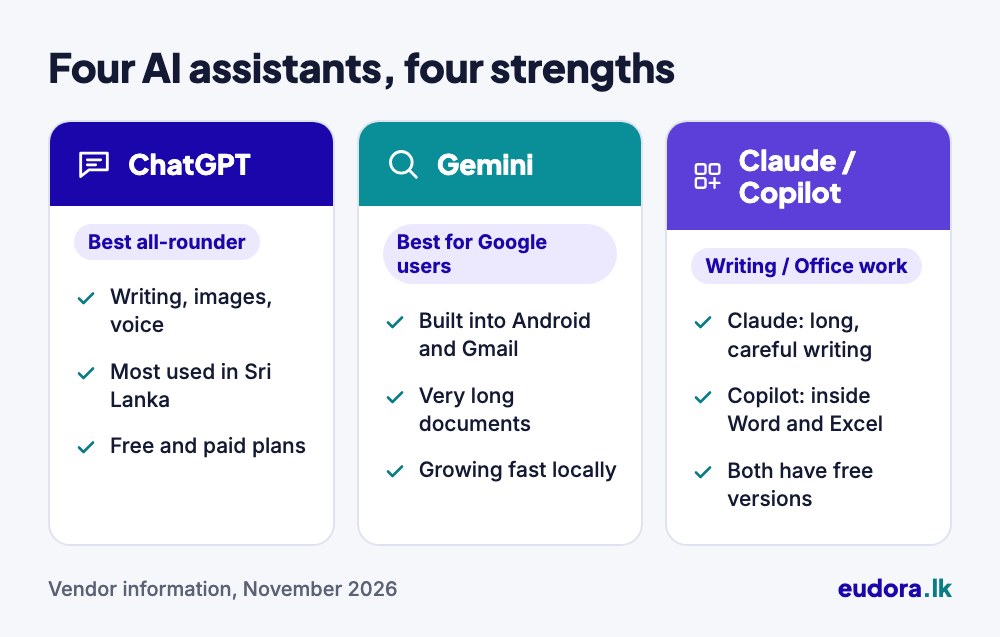
| Assistant | Made by | Where you find it | Best known for |
|---|---|---|---|
| ChatGPT | OpenAI | Web, phone and computer apps | All-round ability, images, voice chat |
| Gemini | Android phones, Gmail, Google Docs, web | Google integration, very long documents | |
| Claude | Anthropic | Web, phone and computer apps | Long, careful writing and coding |
| Copilot | Microsoft | Windows, Edge, Word, Excel, Outlook | Working inside Microsoft Office |
What Sri Lankans are using
A 2026 digital outlook report on Sri Lanka, reported by the Daily Mirror, found that the free version of ChatGPT was used by 47% of people who use AI tools, up from 42% a year earlier. Google Gemini’s free tier was second at 32%, up from 26%. That matches what we see when helping customers: ChatGPT is the first AI app most people install, while Gemini is spreading because it comes built into Android phones.
Local options are appearing too. Dialog launched a trilingual AI platform in July 2025 that works in Sinhala, Tamil and English, and universities and start-ups are working on Sinhala language models. These are worth watching for local-language tasks.
Free versus paid: is USD 20 a month worth it?
For most home users and students, the free versions are enough. They answer questions, write and translate, and handle photos of documents. Paid plans make sense when you hit the limits every day, or need the most capable model for work.
| Plan | Typical price (US list) | What you get |
|---|---|---|
| Free tiers | USD 0 | Everyday use with daily limits; fewer advanced features |
| ChatGPT Go | Lower-cost plan | Higher limits than free; available in many countries |
| ChatGPT Plus | USD 20 a month | Higher limits, newer models, more tools |
| Google AI Pro | USD 19.99 a month | Advanced Gemini, extra Google storage |
| Claude Pro | USD 20 a month (less on annual) | Higher limits, projects, coding tools |
| Microsoft 365 Premium | USD 19.99 a month | Office apps, storage and Copilot features |
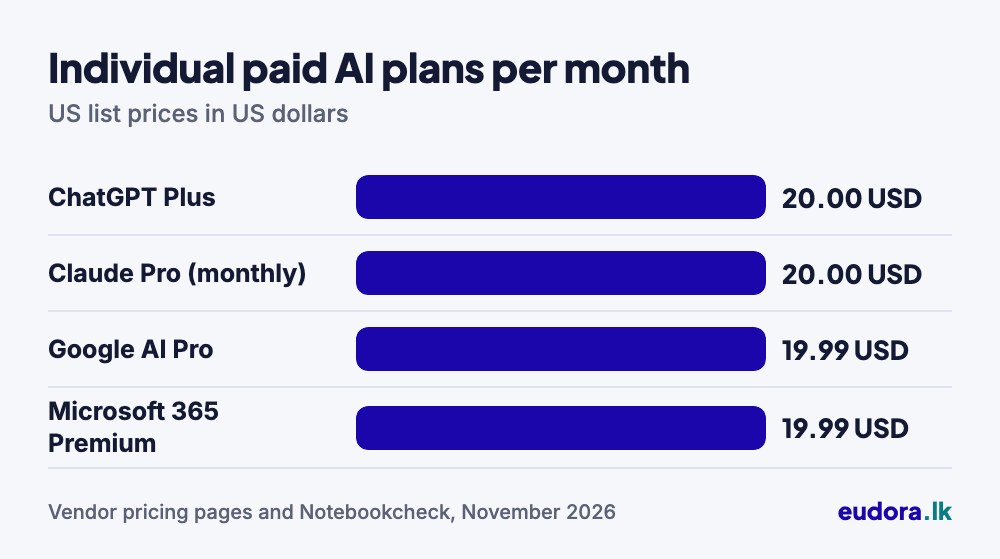
Prices are charged in US dollars to a card, so the rupee cost moves with the exchange rate and bank charges. Some plans offer regional pricing; check the app’s subscription page for the price shown to you. If you already pay for Microsoft 365 Family or a Google One storage plan, check what AI features are included before buying something new.
Which is best for what?
| Task | Good choice | Why |
|---|---|---|
| General questions and ideas | ChatGPT or Gemini | Strong all-rounders with web search |
| Long essays, reports and letters | Claude or ChatGPT | Careful, natural writing |
| Emails and documents at work | Copilot (Office) or Gemini (Google) | Works inside the apps you use |
| Homework help and explanations | Any, with checking | All explain step by step |
| Creating images | ChatGPT or Gemini | Built-in image generation |
| Programming | Claude or ChatGPT | Highly rated for code |
| Using your phone hands-free | Gemini on Android | Replaces the old Google Assistant |
Quality changes with every new model release, often within months, so these are tendencies rather than rules. The best test is to ask two assistants the same real question and compare.
On your phone: apps, voice and camera
All four assistants have phone apps, and this is where many people use them most. Voice mode lets you talk to the assistant like a phone call, which is handy for practising English conversation, getting a recipe while cooking or asking questions while driving with a hands-free kit. The camera features are just as useful: point the phone at a document, a sign, a plant or a fault code on an appliance and ask what it means.
On Android phones, Gemini has largely replaced the old Google Assistant and can be opened by holding the power button or saying “Hey Google”. On iPhones, Apple’s own assistant can pass harder questions to ChatGPT if you allow it. ChatGPT, Claude and Copilot apps work on both. Data use is modest for text, but voice and camera features use more, so keep an eye on mobile data packages.
For small businesses
Shops and small offices get the most value from AI for writing: product descriptions, replies to customer messages, social media posts, quotations and simple letters in English, Sinhala and Tamil. Copilot or Gemini make sense if your business already uses Microsoft 365 or Google Workspace, because the assistant works inside your existing email and documents. Whatever you choose, agree a simple rule with staff about what customer information may not be pasted in. Our guide to AI tools for small shops has practical examples.
Sinhala and Tamil
All four assistants can read and write Sinhala and Tamil, and they are much better than they were two years ago. Quality is still uneven: answers can sound unnatural, mix in English terms or occasionally make grammatical mistakes, and local reporting in 2026 noted that Sinhala answers are sometimes broken or repetitive. Everyday questions usually work well; formal letters, legal text and anything published need checking by a fluent speaker.
Tip: For important Sinhala or Tamil text, ask the AI to write it in English first, check the meaning, then ask it to translate. Then have a fluent person read the final version.
Our separate guide to AI translation for Sinhala and Tamil compares translation tools in more detail.
Privacy: what happens to what you type
Treat a free AI assistant like a public conversation. Some services may use your chats to improve their models unless you turn that off, and staff at the company may review a sample for safety. Never paste ID numbers, bank details, passwords or customer records into a free AI tool.
- Use the privacy setting that stops your chats being used for training, where offered.
- Delete conversations you no longer need.
- For work, use business plans where your company’s data is not used for training.
- Sign in with a strong password and two-step verification, because your chat history is valuable to criminals.
Our guide to AI privacy settings shows exactly where to find these options in each app.
If several people in your household share one account, they also share its history and settings. Separate accounts, even free ones, keep each person’s conversations private and let parents set appropriate controls for children.
Getting the best results
- Give context. Say who you are and what you need: “I run a small shop in Kandy and need a polite reply to a customer complaint.”
- Ask for a format. A table, three bullet points, a 100-word message.
- Check facts. AI can state wrong information confidently. Verify prices, laws, dates and medical information from official sources.
- Iterate. Ask it to shorten, make more formal or fix a part you do not like.
- Keep your own voice. Edit the result so it sounds like you.
A fast, reliable internet connection matters more than a powerful computer for these tools, because the work happens on the company’s servers. If you are buying a laptop, our guide to AI PCs explains why you do not need a special AI laptop to use them. For setting up AI tools safely for a small office, our IT support team can help.
Frequently asked questions
Which AI assistant is best for students in Sri Lanka?
The free versions of ChatGPT and Gemini are enough for most students. Use them to explain topics and check work, not to write assignments for you.
Can I pay for ChatGPT Plus from Sri Lanka?
Yes, with a card that allows international online payments. The charge is in US dollars, so the rupee amount varies with the exchange rate.
Does Gemini come free with Android phones?
The Gemini app is free on most Android phones. Advanced features need a Google AI subscription.
Is Copilot free on Windows?
Yes, the Copilot app is free. Copilot features inside Word, Excel and Outlook need a qualifying Microsoft 365 plan.
Can AI assistants write good Sinhala?
They are improving but uneven. Use them for drafts and everyday questions, and have a fluent speaker check anything important.

Eudora Technology is a Kandy-based team working on CCTV, networks, IT support, cloud and websites for homes and businesses across Sri Lanka.