
Smart home devices are easy to buy and surprisingly easy to get wrong. Devices from different brands, a weak Wi-Fi signal or a lock fitted to the wrong door can turn convenience into frustration. We help you choose devices that work together, set them up on a secure network and show the whole family how to use them.
What we set up
- Security: Wi-Fi cameras, video door phones and doorbells, door and motion sensors, and alerts on your phone.
- Smart locks: fingerprint, PIN and app-controlled locks, fitted and set up for each family member.
- Lighting and comfort: smart lights, scenes for mornings and evenings, and schedules that make the house look lived in when you are away.
- Voice control: Amazon Echo speakers and displays linked to your devices, with routines you can trigger by voice.
- Cleaning: robot vacuums mapped, scheduled and connected to the app.
Setup packages
Smart Device Setup
Setup of one smart device (plug, bulb, sensor, speaker or camera) on your Wi-Fi and app, with basic routines.
- Device installation and pairing
- Wi-Fi and app setup
- Naming, rooms and sharing
- One routine or schedule per device
Smart Home Setup Package
Whole-home setup for up to 10 smart devices, including hub pairing, scenes, voice assistant and family training.
- Up to 10 devices installed and paired
- Hub and app configuration
- Scenes and automations (away, night, holiday)
- Voice assistant linking
- Training for the whole family
- 30 days of remote support
Smart Lock Installation
Fitting and setup of one smart lock, including door preparation, fingerprints, PINs and app access.
- Door compatibility check
- Lock fitting and alignment
- Fingerprint and PIN enrolment
- App and guest code setup
Video Door Phone Installation
Installation of a video door phone or doorbell: door station, indoor screen, cabling up to 20m and app setup.
- Door station mounting
- Indoor monitor installation
- Cabling up to 20m
- App answering setup
- Lock release connection where supported
Start small, add more later
You do not need to automate everything at once. Most homes start with a camera at the door, a smart lock and a few lights, then add sensors and routines once they see what is useful. We plan a setup that can grow without replacing what you already have.
Devices we supply
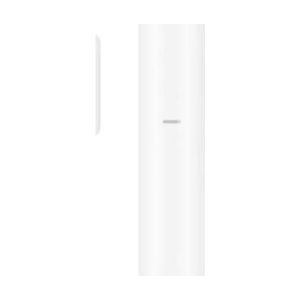
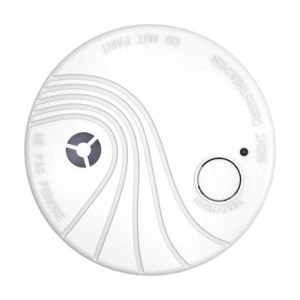
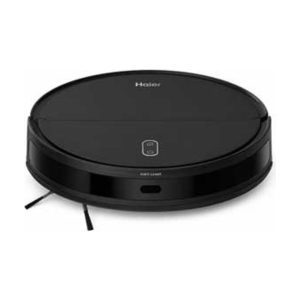
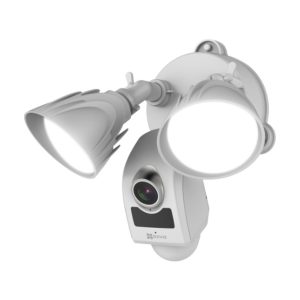
How it works
- Chat or visit. Tell us what you want to control, and we check your Wi-Fi coverage and doors.
- Plan. We suggest devices that work together and give you a clear price.
- Setup. We install, pair and name every device, then build the scenes and schedules you asked for.
- Handover. Everyone who needs access gets the app, and we explain how to add or change things.
Why Eudora
- We fix the network first when needed, because most smart home problems are really Wi-Fi problems.
- Accounts are created in your name, with strong passwords and two-step verification where the app supports it.
- Genuine devices with manufacturer warranty through the local agent.
Frequently asked questions
Do I need a hub?
Many Wi-Fi devices work without one. A hub helps when you use battery sensors, Zigbee devices or many devices from one brand, because it keeps them fast and reliable. We will tell you if your setup needs one.
Will my smart lock still work without power or internet?
Yes. The locks we fit run on batteries and keep working with fingerprints and PINs without internet. Most also have a mechanical key or an emergency USB power point.
Can I control everything from one app?
Often, yes. Amazon Alexa can control many brands in one place, and brand apps like EZVIZ or Xiaomi Home group their own devices. We recommend devices that fit the app you prefer.
Is a smart home safe from hackers?
It is safer when set up properly. We change default passwords, keep firmware updated, turn on two-step verification and can put smart devices on a separate guest network.