
Everything else depends on the network: video calls, CCTV viewing, card machines, smart devices and cloud software. When Wi-Fi drops in the back room or the office slows down every afternoon, it costs time and patience. We design networks that cover the whole building, stay secure and are easy to manage.
What we do
- Home Wi-Fi: router placement, mesh systems for multi-storey houses and a guest network for visitors.
- Office networks: business routers, access points, switches and a network plan that can grow with the team.
- Structured cabling: CAT6 network points in casing, patch panels, wall racks and clear labels.
- PoE for cameras and access points: one cable for power and data, fed from a PoE switch.
- 4G and backup internet: 4G routers for sites without fibre and failover so the office stays online.
Networking packages
Router & Mesh Wi-Fi Setup
Setup of your router or mesh Wi-Fi: placement, secure settings, guest Wi-Fi and coverage test in every room.
- Router / mesh node placement for full coverage
- Secure Wi-Fi names and passwords
- Guest network setup
- Parental controls or basic filtering
- Speed and coverage test report
- Up to 3 access points or mesh nodes
Structured Cabling (per Network Point)
One CAT6 network point: cable laying in casing, faceplate and patch panel termination, labelling and testing.
- CAT6 cable laying in casing (up to 30m)
- Keystone faceplate and termination
- Patch panel or switch termination
- Labelling and certification test
Office Network Health Check
Review of your office network: Wi-Fi coverage, speeds, security settings, cabling and equipment, with a written report.
- Wi-Fi coverage and interference scan
- Speed tests at key desks
- Router, switch and firewall settings review
- Security check of passwords and firmware
- Prioritised recommendations report
How it works
- Survey. We measure Wi-Fi coverage and check your internet connection, equipment and cabling.
- Plan. You get a layout with equipment, cable runs and costs.
- Install. We install and configure the equipment, then test speeds and coverage in every area.
- Document. You receive the settings, passwords and a labelled cable map for future work.
Networking equipment
-
 TP-Link
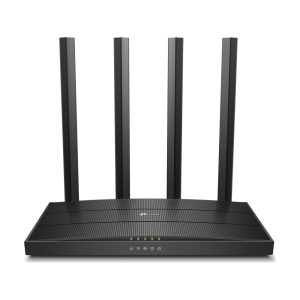
TP-Link Archer C6 AC1200 Dual-Band Wi-Fi Router
Rs 15,000 Add to cart -
TP-Link
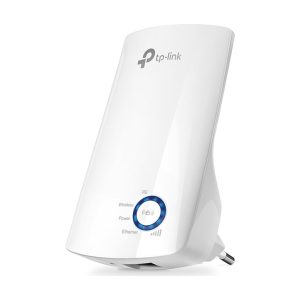
TP-Link TL-WA850RE 300Mbps Wi-Fi Range Extender
Rs 8,200 Add to cart -
Hikvision
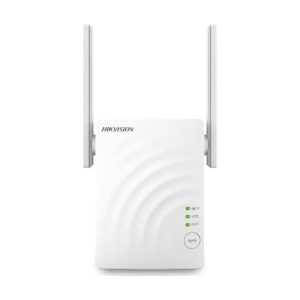
Hikvision DS-3WRE12C AC1200 Dual-Band Wi-Fi Extender / Access Point
Rs 9,500 Add to cart -
Hikvision
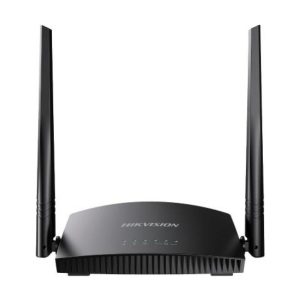
Hikvision DS-3WR4G3N 4G LTE Wi-Fi Router (300Mbps)
Rs 15,400 Add to cart
Why Eudora
- We test before and after, so you can see the difference in coverage and speed.
- Security is part of the setup: strong passwords, updated firmware and separate networks for guests and devices.
- TP-Link, Hikvision and Xiaomi equipment from authorised Sri Lankan distributors.
- Standard installation across the Central Province, with other districts on request.
Frequently asked questions
Why is my Wi-Fi slow in some rooms?
Walls, floors and distance weaken the signal, and the router is often in the wrong place. A mesh system or an access point on a network cable usually fixes it. Our blog explains how mesh Wi-Fi works.
Is mesh Wi-Fi better than a range extender?
In most multi-storey homes, yes. Mesh units work as one network with one name and hand your devices over smoothly, while extenders often halve the speed and need you to switch networks.
Do you work with my internet provider’s router?
Yes. We can keep the provider’s router as the modem and add our own router or mesh system behind it, or configure the provider’s router properly if it is good enough.
Can you cable an office that is already in use?
Yes. We plan cable routes in casing along walls and ceilings and can work outside office hours to reduce disruption.