Cat5e, Cat6 or Cat6a? Choosing Network Cable for Homes and Offices
What the cable categories mean for speed, distance and PoE cameras, why copper-clad aluminium is a false saving, and how to plan cabling that lasts.
Wi-Fi gets the attention, but the cable in the walls decides how well a home or office network works for the next ten or fifteen years. A wired connection is faster and steadier than wireless for desktops, printers, smart TVs and access points, and it is the only sensible way to power and connect IP cameras. Yet cable is often bought on price alone, and the wrong choice is expensive to fix once walls are plastered and ceilings closed. This guide explains what Cat5e, Cat6 and Cat6a mean, which you need for gigabit, multi-gigabit and PoE cameras, the cheap cable to avoid, and how to plan cabling so it lasts.
Key points
- All three categories carry gigabit Ethernet up to 100 metres, which covers most homes and small offices today.
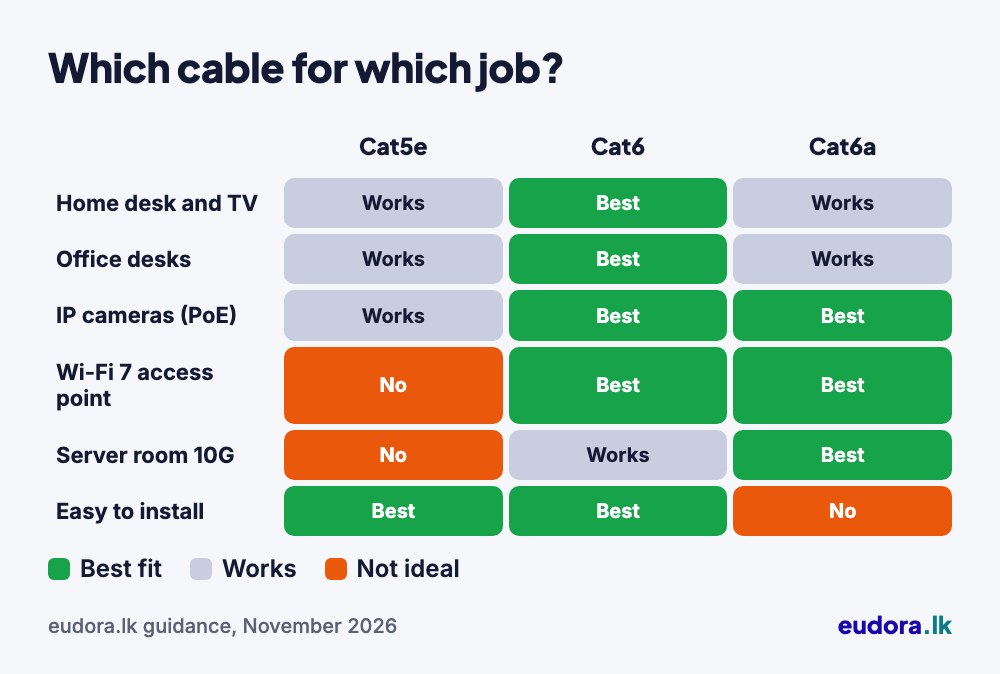
- Cat6 is the sensible default for new work: it costs little more than Cat5e and handles multi-gigabit speeds and PoE well.
- Cat6a is for 10 gigabit over long runs, server rooms and high-power PoE; it is thicker and harder to install.
- Avoid copper-clad aluminium (CCA) cable: it breaks easily, runs hot with PoE and fails certification.
- Keep each run under 90 metres from wall socket to switch, plus up to 10 metres of patch cords.
What the categories mean
The category number describes how well a cable carries high-frequency signals, which decides the speeds it can support over a given distance. Higher categories use tighter twists, better insulation and sometimes a separator between the pairs to reduce interference between them.
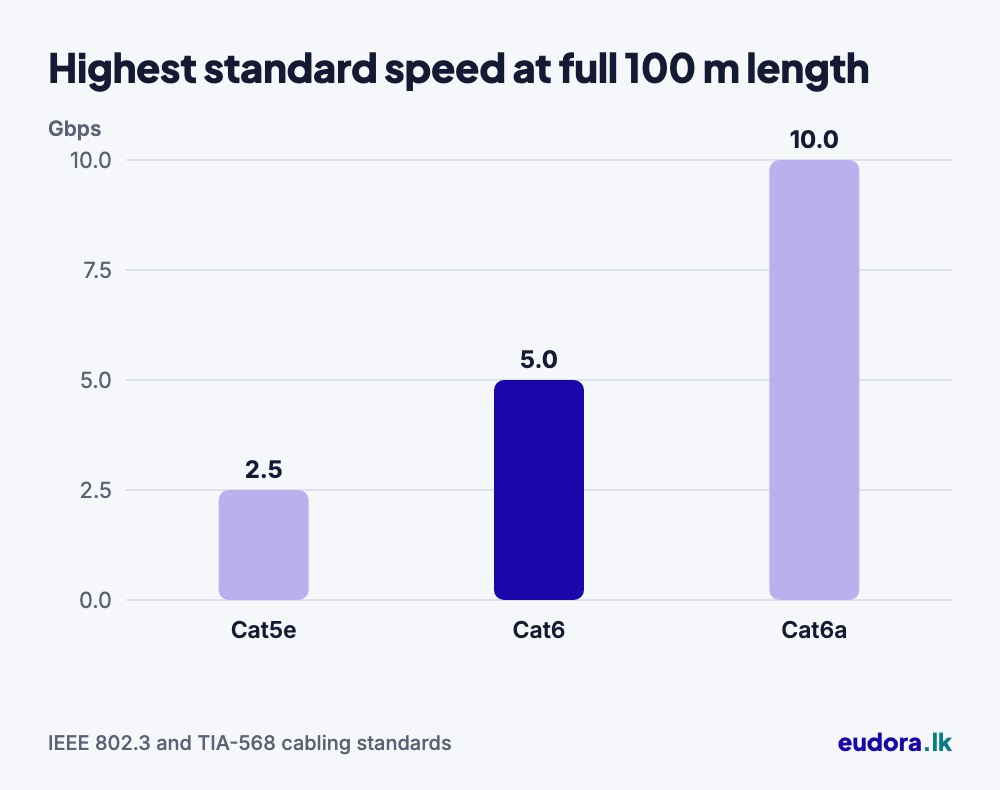
| Category | Bandwidth | Gigabit | 2.5 and 5 gigabit | 10 gigabit | Best use |
|---|---|---|---|---|---|
| Cat5e | 100 MHz | Up to 100 m | 2.5 gigabit to 100 m; 5 gigabit not specified | Not specified | Repairs and extending older networks |
| Cat6 | 250 MHz | Up to 100 m | Up to 100 m | Up to about 55 m | New homes and offices, CCTV |
| Cat6a | 500 MHz | Up to 100 m | Up to 100 m | Up to 100 m | Server rooms, long 10G runs, high-power PoE |
| Cat7 and Cat8 | 600 to 2,000 MHz | Yes | Yes | Yes | Data centres; rarely sensible elsewhere |
Cat7 and Cat8 appear in online listings, often at low prices, but they use different shielding and connectors, are not part of the standards most installers work to, and give no benefit for a home or office. Cheap “Cat7” patch cords are frequently not what they claim to be.
Do you need more than gigabit?
Most home and office internet connections in Sri Lanka are well under one gigabit per second, so for internet use gigabit cabling is plenty. Faster cabling matters inside the network: copying large files to a NAS, connecting Wi-Fi 6 and Wi-Fi 7 access points that can exceed a gigabit, and linking switches together. Multi-gigabit ports at 2.5 and 5 gigabits are now common on newer routers, NAS units and access points, and they run happily over Cat6 at full length.
Cable lasts far longer than the equipment plugged into it. A switch or router is replaced every five to seven years; cable in a wall can stay for twenty. Paying slightly more for Cat6 today keeps the door open for multi-gigabit equipment later, which is why we use it as standard for new installations.
Power over Ethernet and cable quality
PoE sends power along the same cable as data, so an IP camera or access point needs only one cable. The standards have grown over time: 802.3af delivers up to 15.4 watts from the switch, 802.3at (PoE+) up to 30 watts, and 802.3bt up to 60 or 90 watts for pan-tilt-zoom cameras, large access points and some displays. Most fixed CCTV cameras need under 7 watts, well within the basic standard.
Power heats the cable, and heat increases loss. Thicker solid copper conductors, as in good Cat6 and Cat6a, carry power with less heating than thin conductors, which matters when dozens of PoE cables are bundled together in a ceiling. Our PoE switch guide explains power budgets in detail.
Warning: Copper-clad aluminium (CCA) cable has aluminium conductors with a thin copper coating. It is cheaper, but it has higher resistance, overheats with PoE, snaps when bent, corrodes at the connectors and does not meet the category standards. Check the box says solid copper or pure copper before buying.
Solid, stranded, shielded and outdoor cable
Solid cable has a single copper wire per conductor. It is used for the permanent runs inside walls and ceilings, terminated on wall sockets and patch panels. Stranded cable has many fine wires per conductor, making it flexible for patch cords between a socket and a computer, or between a patch panel and a switch. Use solid cable for installation and stranded patch cords at each end.
Most homes and offices use unshielded cable (U/UTP), which is easier to install and works well when cable is kept away from power wiring. Shielded cable (F/UTP or S/FTP) helps near motors, lift rooms and heavy electrical equipment, but only works properly if the shield is earthed at the switch end with shielded connectors.
Ordinary indoor cable breaks down in sunlight and lets water travel along it. For runs outdoors, to a gate camera or between buildings, use outdoor-rated cable with a UV-resistant jacket, run it in conduit, and fit surge protection at the building entry. Our article on protecting CCTV from lightning and power surges covers why that matters during monsoon storms.
Distance rules
Ethernet over copper is specified to 100 metres per channel: up to 90 metres of fixed cable from the wall socket to the patch panel, plus up to 10 metres of patch cords in total. Going further reduces speed and makes PoE unreliable. For longer distances, add a switch in the middle, use a PoE extender, or run fibre between buildings.
Measure along the actual route, not in a straight line. Cable goes up walls, along ceilings and around corners, so a camera 40 metres away across a yard can easily need 60 metres of cable. Leave a small service loop at each end for future re-termination.
Planning cabling for a small office
Good cabling follows a simple pattern: every desk, printer, access point and camera has its own run back to one central point, usually a wall-mounted rack with a patch panel and switch. Plan two network points per desk rather than one, because a phone, a second computer or a printer will need one later and a second cable costs far less to install now than later.
- Label everything: number each socket and the matching patch panel port, and keep a simple floor plan.
- Separate from power: keep data cable at least a few centimetres from mains cables, and cross them at right angles.
- Ceiling points for Wi-Fi: run a cable to the centre of each area for a ceiling access point.
- Test every run: a cable tester or certifier confirms all eight wires are connected correctly.
- Leave spare capacity: choose a switch with more ports than you need today.
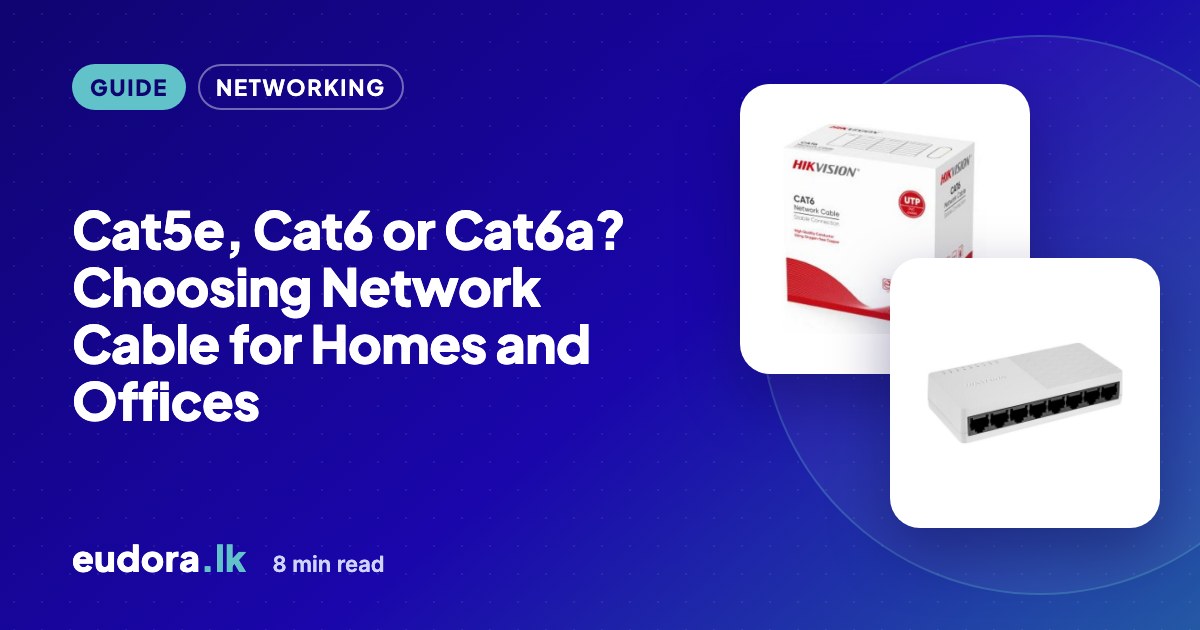
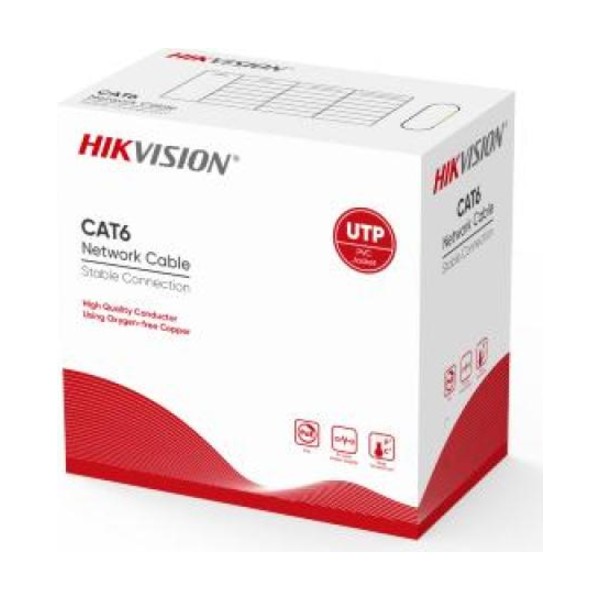
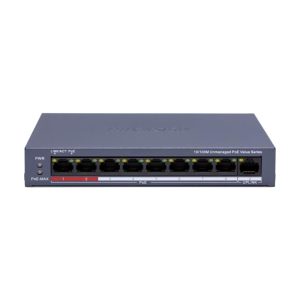
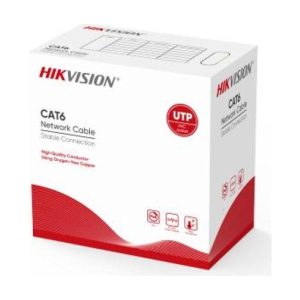
A 305-metre box of Hikvision Cat6 solid copper cable costs Rs 63,900, about Rs 210 per metre, enough for eight to twelve typical office runs. Our structured cabling service is Rs 3,900 per network point, so eight points come to Rs 31,200 for installation. A complete eight-point office network with the cable box, a Hikvision 8-port gigabit switch and installation comes to Rs 102,700, plus sockets, trunking and a rack where needed. See our networking services for details.

Should you replace existing Cat5e?
If a building already has working Cat5e, there is usually no need to rip it out. It carries gigabit to every desk and 2.5 gigabit to most, which covers office work, video calls and CCTV comfortably. Replace or supplement it when you are renovating anyway, when a run fails testing, when you add Wi-Fi 7 access points that need more than 2.5 gigabits, or when runs are close to the 100-metre limit. A practical middle path is to keep the existing desk cabling and run new Cat6 or Cat6a only to access points and the server or NAS, where the extra speed is actually used. Keep the old patch cords out of new runs: a single worn Cat5 cord can drop a connection to 100 megabits without any obvious warning.
Testing an existing network
If an office network is slow or unreliable, cabling is often part of the cause. Signs include a computer that connects at 100 megabits instead of a gigabit, a camera that drops out in hot weather, or a connection that only works when a cable is wiggled. Our office network health check at Rs 9,900 tests cabling, switches and Wi-Fi and gives a written report. Our slow Wi-Fi guide covers the wireless side.
Frequently asked questions
Is Cat6 faster than Cat5e for internet?
Not for a typical home or office internet connection, which is below a gigabit. Cat6 helps with multi-gigabit equipment inside the network and gives more headroom.
Can I mix Cat5e and Cat6?
Yes. The connection runs at the level of the lowest category in the path, so a Cat6 run with a Cat5e patch cord performs like Cat5e.
What cable do IP cameras need?
Solid copper Cat6 is ideal. Cat5e also works for most cameras within 100 metres. Avoid CCA cable for PoE.
How far can Ethernet go?
100 metres per channel including patch cords. Use a switch, PoE extender or fibre for longer distances.
Do I need shielded cable?
Usually not. Unshielded Cat6 works well in homes and offices. Shielded cable helps near heavy electrical equipment if it is installed and earthed correctly.

Eudora Technology is a Kandy-based team working on CCTV, networks, IT support, cloud and websites for homes and businesses across Sri Lanka.