Mini PC Buying Guide 2026: Small Desktops for Home and Office
Mini PCs pack laptop-class processors into a box the size of a book. What they do well, where a tower still wins, and what to check before buying one for home or office.
Desktop computers have been shrinking for years, and the mini PC is where that trend has arrived: a full Windows computer in a box about the size of a hardcover book, often small enough to screw onto the back of a monitor. Inside are the same efficient processors used in thin laptops, which makes mini PCs quiet, cool and cheap to run, an appealing combination with electricity prices where they are. For many offices, reception desks, home studies and shops, a mini PC now does everything a tower used to do, while freeing up desk space and cutting power use. But mini PCs are not right for every job, and they differ a lot in quality, ports and upgrade options. This guide explains what to look for and when a tower or all-in-one is still the better buy.
Key points
- A mini PC uses a laptop-class processor in a tiny case, typically drawing a fraction of a tower’s power.
- It suits office work, browsing, video calls, point-of-sale, reception and home study.
- Towers still win for graphics-heavy work, many internal drives and long-term upgrades.
- Choose at least 16GB of memory (or a model you can upgrade to it) and a 512GB SSD.
- Check the ports carefully: two display outputs, enough USB, and wired Ethernet are the essentials.
What exactly is a mini PC?
A mini PC is a complete desktop computer, with processor, memory, storage, Wi-Fi and ports, in a case usually under one litre in volume. Unlike a laptop, it has no screen, keyboard or battery, so you add your own monitor, keyboard and mouse. Unlike a tower, it uses mobile processors designed to run on very little power, and it is usually powered by an external adapter similar to a laptop charger. Many come with a VESA bracket so you can mount them behind a monitor, leaving the desk completely clear.
| Mini PC | Tower desktop | All-in-one | Laptop | |
|---|---|---|---|---|
| Desk space | Tiny, can hide behind monitor | Large | Screen only | Small |
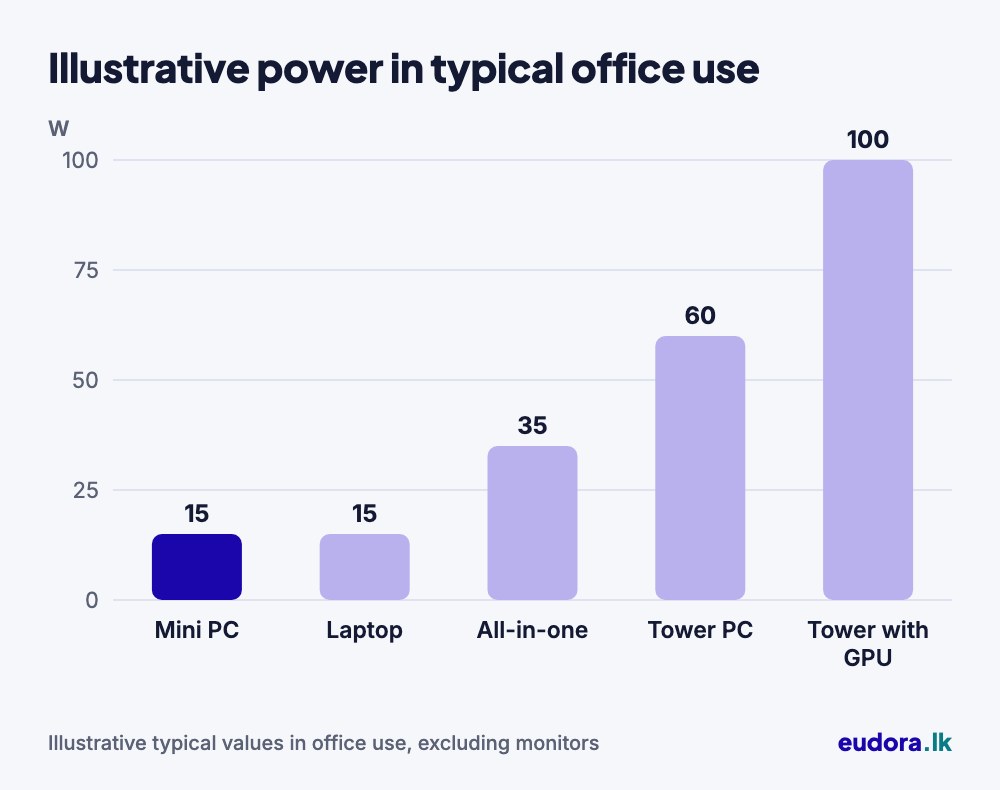
| Typical power in office use | Low | Medium to high | Low to medium | Low |
| Choose your own screen | Yes | Yes | No | Built in, add external |
| Graphics card option | Rarely | Yes | No | Some models |
| Upgrades | Memory and SSD on many | Most parts | Limited | Limited |
| Portability | Can move between desks | No | No | Yes |
Who a mini PC suits
Mini PCs are ideal for office staff who use email, browsers, Microsoft 365, accounting software and video calls all day. They work well at shop counters for point-of-sale and inventory software, at reception desks, in classrooms and as family computers in a home study. Because they are small and quiet, they suit meeting rooms connected to a TV for presentations and video calls. Some people also use a mini PC as a home media computer or a small always-on server, though for file storage a dedicated NAS is usually better; our guide to personal cloud storage compares the options.
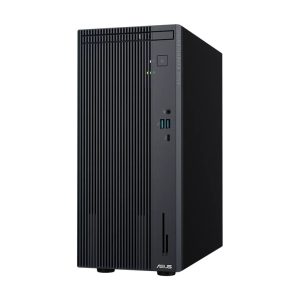
A tower is still the better choice for video editing at high resolution, 3D design, serious gaming and engineering software that needs a dedicated graphics card, or when you want to add several internal drives and upgrade parts over many years. The ASUS ExpertCenter P500 Mini Tower at Rs 215,000 is a compact tower that keeps more room inside. Our desktop versus laptop guide covers the wider choice.
Choosing the processor
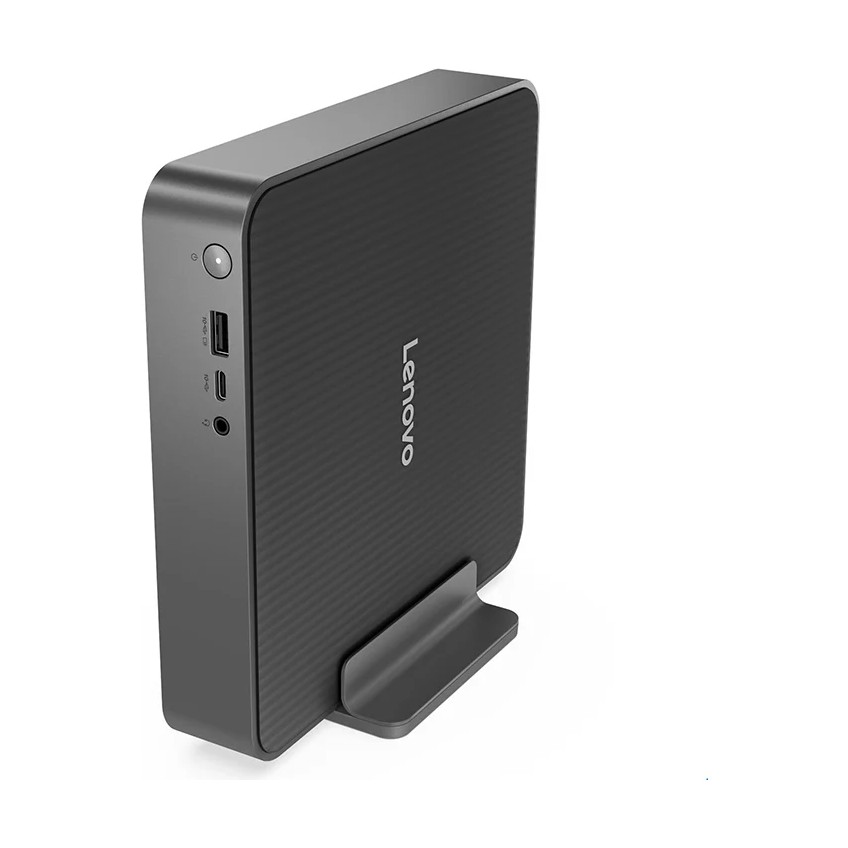
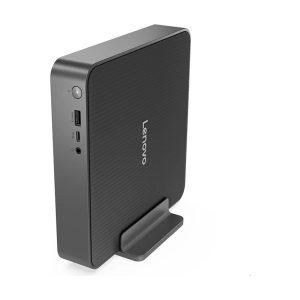
Mini PCs range from very low-power chips designed for basic tasks to the same high-performance processors used in premium laptops. Entry-level chips are fine for a single browser, email and simple documents, but can feel slow with many tabs, large spreadsheets and video calls at the same time. For general office use, aim for a current Core 5 or Core Ultra 5, Ryzen 5 or better. The Lenovo IdeaCentre Mini 01IRH10R at Rs 280,000 uses a Core 7 240H, a high-performance laptop processor with plenty of headroom for heavy multitasking. Newer processors with built-in AI accelerators are also arriving in mini PCs; our article on on-device AI explains what they do.
Memory and storage
Memory has the biggest effect on how responsive a computer feels with many applications open. Eight gigabytes is the bare minimum in 2026; 16GB is the comfortable standard for office work, and 32GB suits heavy multitasking or light creative work. Many mini PCs, including models sold with 8GB, have memory slots you can upgrade later, but some use memory soldered to the board, so check before buying. For storage, a 512GB NVMe SSD is a sensible starting point; most mini PCs have one M.2 slot and some have a second slot or room for a 2.5-inch drive. Memory and SSD prices have risen sharply this year, as our article on memory prices explains, so it can be worth buying the configuration you need now rather than planning a later upgrade.
Ports and connections
Because a mini PC is small, port selection varies a lot between models and matters more than on a tower. Check for:
- Two display outputs (HDMI, DisplayPort or USB-C with display support) if you want two monitors.
- Enough USB ports for keyboard, mouse, webcam, printer and a backup drive, ideally including USB-C.
- Wired Ethernet for reliable office networking; Wi-Fi 6 or newer as a bonus.
- A headphone jack if you use a wired headset for calls.
- A card reader if you work with camera memory cards.
If a model is short of ports, a USB-C hub or dock adds them, and a monitor with a built-in USB-C hub can tidy the whole desk. Our guide to USB-C explains which USB-C ports carry display and data.
Building a complete desk
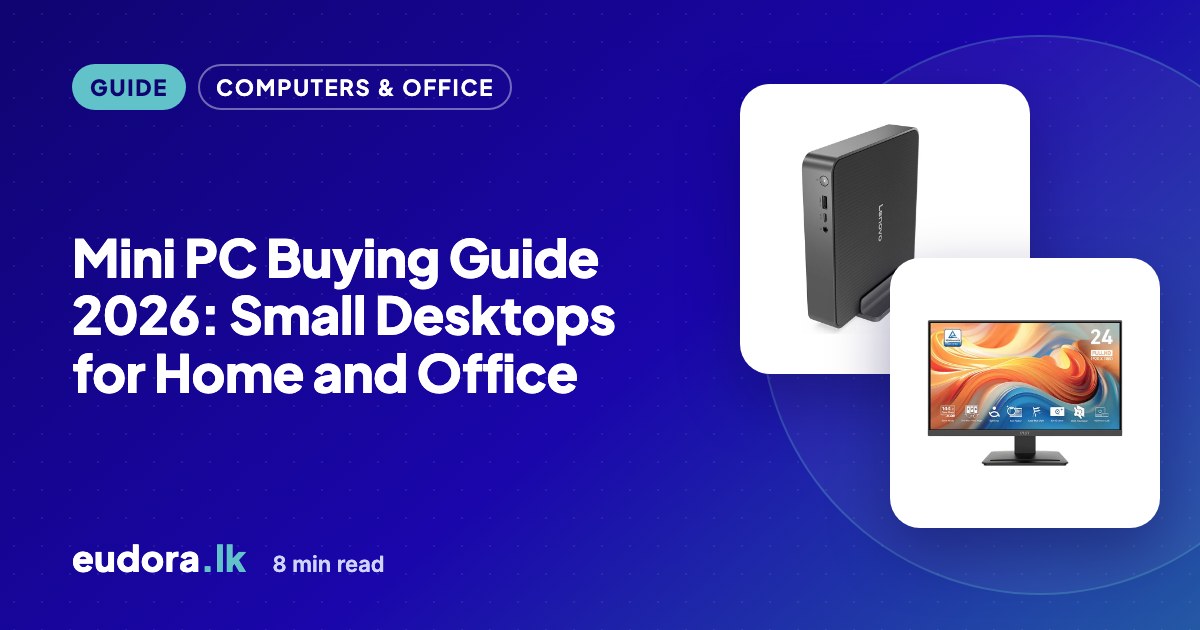
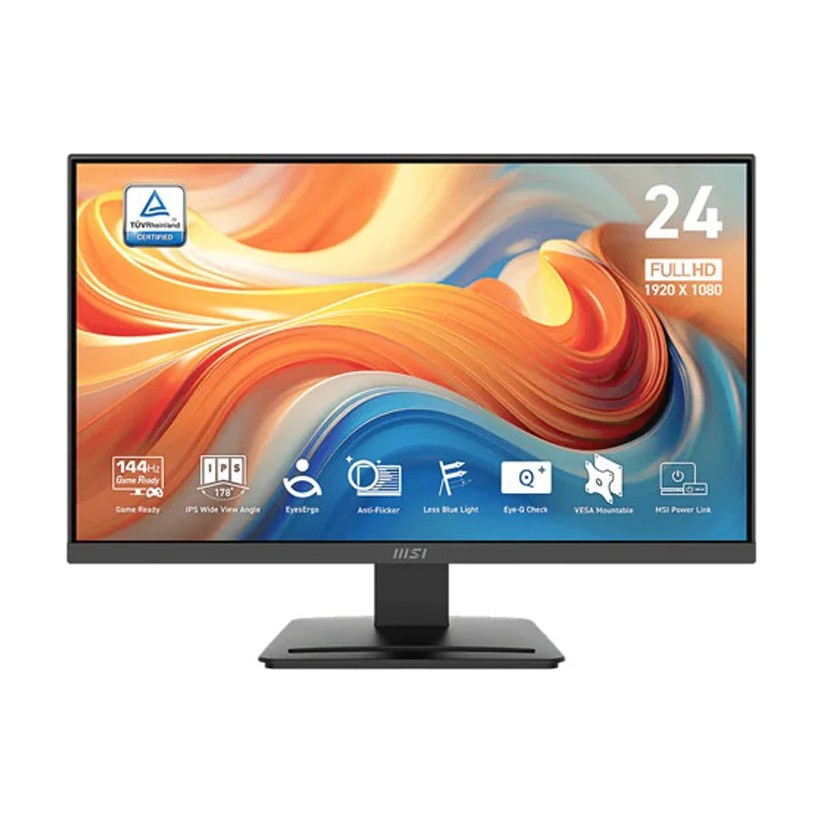
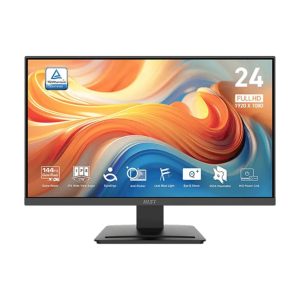
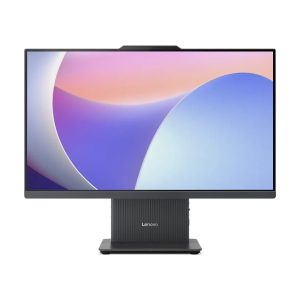
A mini PC needs a monitor, keyboard and mouse. For example, the Lenovo IdeaCentre Mini with an MSI PRO MP243L 24-inch 144Hz monitor at Rs 35,000 comes to Rs 315,000, and with two of those monitors for a dual-screen desk, Rs 350,000. Our dual monitor guide explains how to set up two screens, and our office monitor guide covers choosing them. If you prefer a single tidy unit with the screen built in, the Lenovo IdeaCentre AIO 24ARR9 all-in-one at Rs 320,000 is an alternative, though you cannot change its screen later.
Power, heat and power cuts
A mini PC’s low power draw is one of its biggest advantages. In typical office use it draws a fraction of what a tower with a dedicated graphics card does, which adds up over a working year in an office with several computers; our guide to electricity costs of home tech shows how to calculate it. The small case does mean the fan can become audible under heavy load, and it should not be pushed into a closed drawer or covered with papers, because it needs airflow. Low power also makes a mini PC easy to keep running through short power cuts: a small line-interactive UPS such as the PROLiNK PRO701SFC at Rs 11,000 can carry a mini PC and monitor long enough to save work and shut down safely. Our guide to surge protectors, UPS units and regulators explains which protection you need.
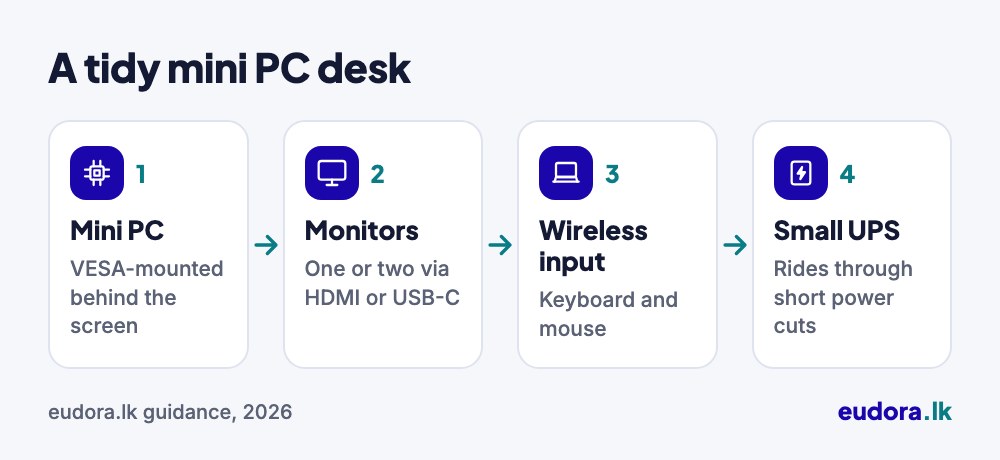
Tip: Mount the mini PC on the back of the monitor with the VESA bracket, run one power strip to a small UPS, and use a wireless keyboard and mouse. The result is a nearly cable-free desk that is easy to clean and move.
Warranty, support and business features
For offices, choose a mini PC from a brand with local warranty and parts support, and check whether the warranty is on-site or carry-in. Business-oriented models often add features such as a Kensington lock slot, remote management, a TPM security chip for BitLocker encryption and Windows 11 Pro. If you are buying several, keep them identical where possible so setup, spare parts and support are simpler. Our team handles setup, data transfer and software installation with our PC and laptop setup service at Rs 3,500, and our licensing guide explains Windows and Office licences.
Mini PCs in shops and small businesses
Mini PCs have become popular at shop counters because they fit under or behind a screen, run quietly, and handle point-of-sale, barcode scanning, receipt printing and cloud inventory systems easily. In a small office, they are a neat way to replace ageing towers one desk at a time, and because they use little power, they suit offices running on solar or with frequent power cuts. A mini PC can also drive a TV in a waiting area or showroom to display promotions. Our article on cloud POS and inventory covers the software side for shops.
Making the decision
Choose a mini PC if you want a quiet, efficient, space-saving computer for office work, study or a shop counter, and are happy to choose your own monitor. Make sure it has enough memory, the ports you need and local warranty support. Choose a tower if you need a dedicated graphics card, many drives or long-term upgrades, and an all-in-one if you want the simplest setup with the screen included. If you are unsure, tell us what software you use and how many screens you want, and we will suggest a setup that fits your work and budget.
-
 ASUS
ASUS ExpertCenter P500 Mini Tower Desktop – Core i5-13420H, 8GB, 512GB SSD
Rs 215,000 Add to cart -
 MSI
MSI PRO MP243L E14 24-inch Monitor – Full HD IPS, 144Hz
Rs 35,000 Add to cart -
 Lenovo
 IdeaCentre AIO 24ARR9 All-in-One – Ryzen 5 7533HS, 16GB, 512GB SSD, 24-inch
Rs 320,000 Add to cart -
 Lenovo
 IdeaCentre Mini 01IRH10R Mini PC – Core 7 240H, 8GB, 512GB SSD
Rs 280,000 Add to cart
Frequently asked questions
Is a mini PC as powerful as a desktop?
For office work, yes. Towers still win for heavy graphics, gaming and long-term upgrades.
Can a mini PC run two monitors?
Most can, if they have two display outputs. Check the ports before buying.
Can I upgrade a mini PC?
Many allow memory and SSD upgrades. Some have soldered memory, so check the specifications.
Do mini PCs overheat?
Not with normal airflow. Keep them out of closed drawers and away from papers covering the vents.
How much power does a mini PC use?
Usually a fraction of a tower’s power in office use, which saves units over a working year.

Eudora Technology is a Kandy-based team working on CCTV, networks, IT support, cloud and websites for homes and businesses across Sri Lanka.