Wi-Fi Camera Recording: Memory Card, Cloud Plan or Recorder?
Where Wi-Fi camera footage is stored decides what survives a theft or power cut. Memory cards, cloud plans and wireless recorders compared on cost and safety.
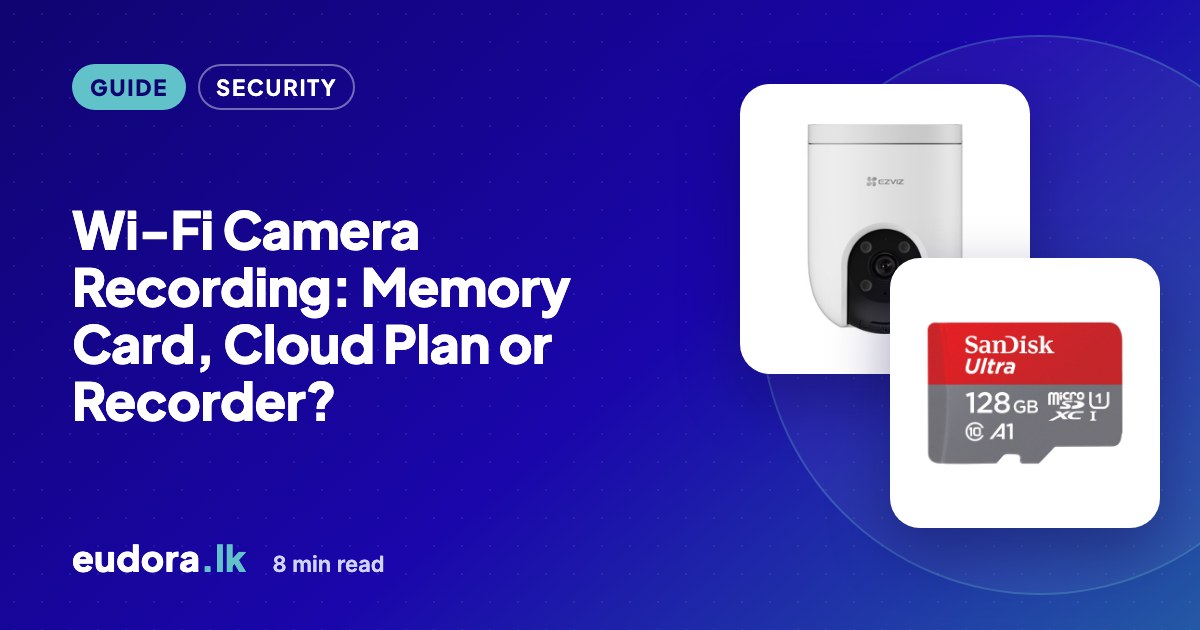
A Wi-Fi camera is only as useful as the footage it keeps. The live view on your phone is reassuring, but when a parcel goes missing or a gate is forced at night, what matters is whether the recording still exists, whether you can find the right minute quickly, and whether it survived if the camera itself was stolen or the power went off. Wi-Fi cameras give you three places to keep video: a memory card inside the camera, a paid cloud plan, or a recorder on your home network. Each has strengths, real costs and blind spots. This guide compares them with prices from our catalogue so you can choose the right mix for a home, shop or holiday property.
Key points
- A microSD card is the lowest-cost option and works without internet, but it can be stolen with the camera.
- Cloud plans keep clips off site, so they survive theft and damage, but they need steady upload bandwidth and a yearly fee per camera.
- A wireless recorder (NVR) stores several cameras on one hard drive at home and records continuously.
- Most cameras record only when they detect motion; continuous recording fills cards and plans much faster.
- For important cameras, a memory card plus a short cloud plan gives the best of both.
The three options at a glance
| microSD card | Cloud plan | Wireless recorder | |
|---|---|---|---|
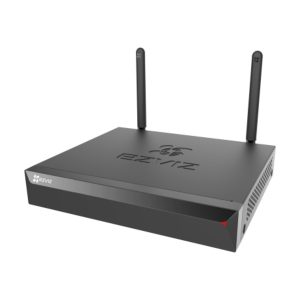
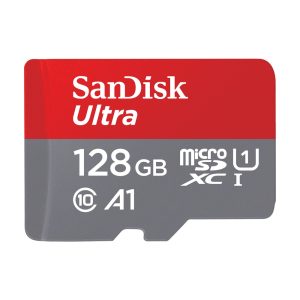
| Example | SanDisk Ultra 128GB | EZVIZ CloudPlay 7-day | EZVIZ X5S 4-channel NVR |
| Price | Rs 9,100 once | Rs 12,500 per camera per year | Rs 12,400 plus a hard drive |
| Works without internet | Yes | No | Yes |
| Survives camera theft | No | Yes | Yes, if the recorder is hidden |
| Uses upload bandwidth | Only when you watch | Every recorded clip | Only when you watch |
| Best for | One or two cameras, low budget | Entrances and remote properties | Three or more cameras, continuous recording |
Memory cards: cheap, local and easy
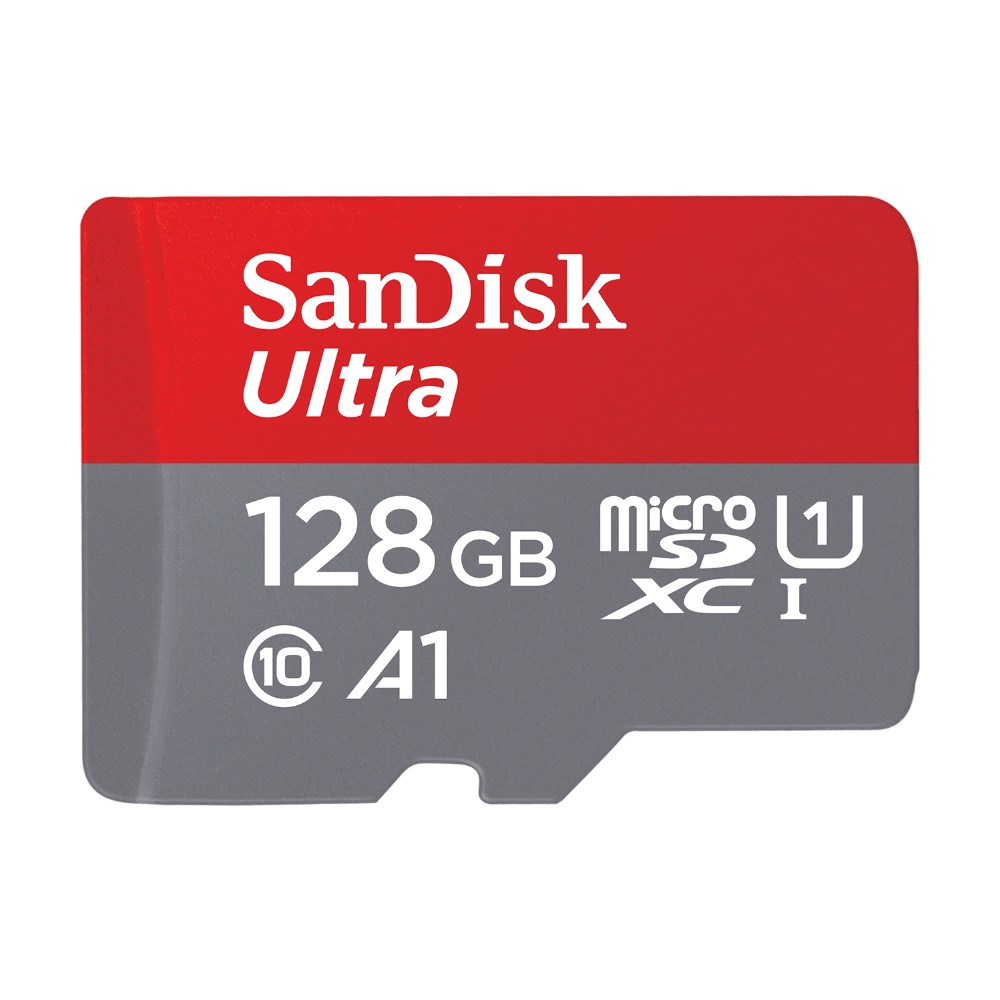
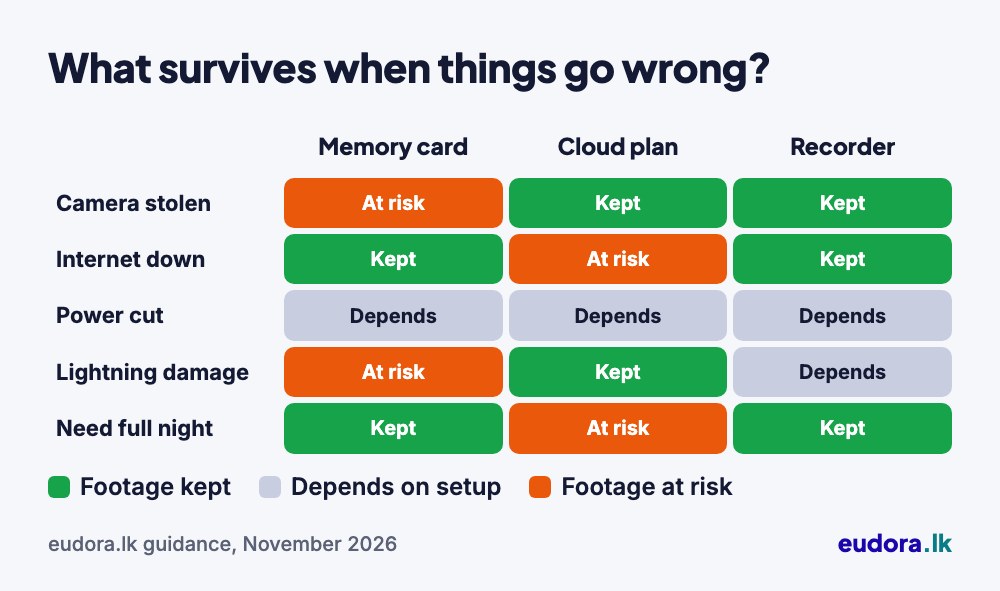
Most EZVIZ, Imou and Xiaomi cameras have a microSD slot that accepts cards up to 256GB or 512GB. Once a card is inserted and formatted in the app, the camera records to it automatically, overwriting the oldest footage when it is full. There is no subscription, and recording continues even if the internet goes down, which happens more often than we would like during storms and power cuts.
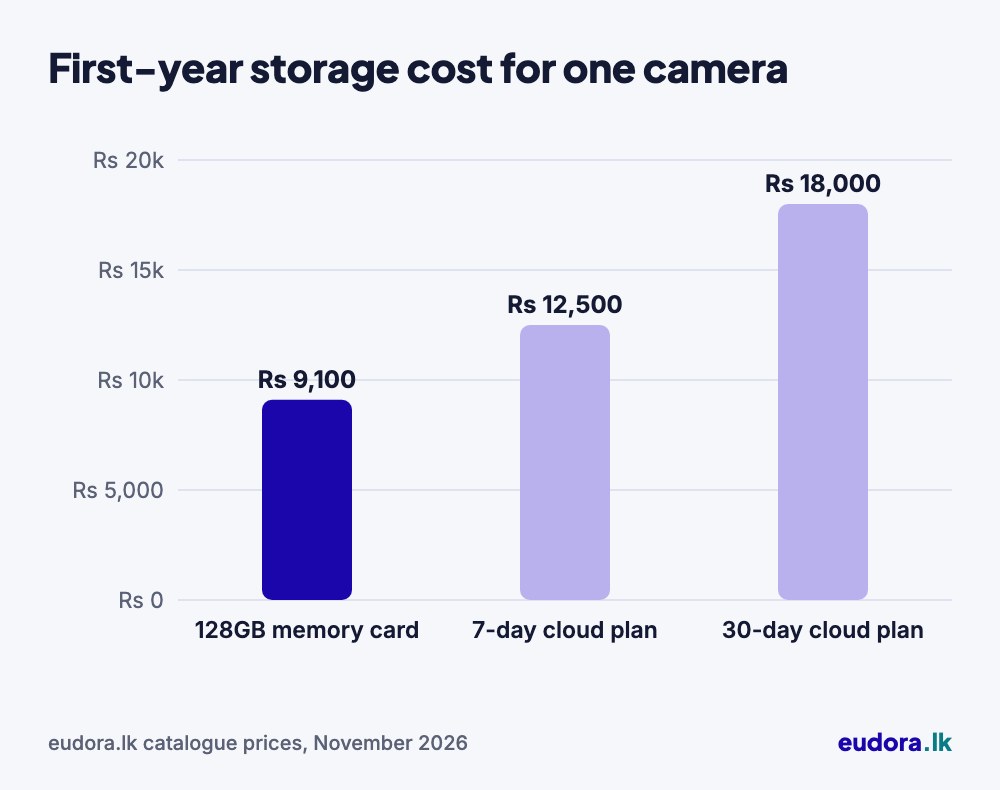
A 64GB HIKSEMI NEO card costs Rs 4,900 and a 128GB SanDisk Ultra costs Rs 9,100. As a rough guide, a 2K camera recording motion events at a typical home entrance fills a 128GB card in about three to four weeks; recording continuously, the same card lasts closer to a week. Busy roads, trees moving in the wind and night-time insects all increase the number of motion clips.
The weakness is obvious: the footage lives in the camera. A thief who pulls an outdoor camera off the wall takes the evidence with them, and a camera damaged by lightning or water may corrupt its card. Cards also wear out from constant writing. Use cards from known brands rated for continuous recording where possible, and replace them every year or two. Our memory card guide explains speed classes and fake cards.
Tip: Format a new card in the camera’s app, not on a computer, and check playback the next day. A card that is formatted wrongly or too slow often shows live view perfectly but records nothing.
Cloud plans: off-site and theft-proof
A cloud plan uploads each motion clip to the camera maker’s servers as it happens. If the camera is stolen, smashed or loses its card, the clips recorded up to that moment are already safe. EZVIZ CloudPlay costs Rs 12,500 a year per camera to keep 7 days of event clips, or Rs 18,000 for 30 days, a difference of Rs 5,500. Cloud plans also make it easier to find events, with a timeline of clips and, on some plans, smarter detection of people and vehicles.
There are trade-offs. Cloud plans record events, not continuous video, so a few seconds before and after each trigger may be all you get. Every clip uses upload bandwidth, which matters on 4G connections with data caps and on slower home broadband with several cameras. And the cost is per camera, every year: four cameras on the 7-day plan come to Rs 50,000 a year, compared with Rs 36,400 once for four 128GB cards.
Wireless recorders: one drive for every camera
A wireless NVR is a small recorder that sits on your home network and stores footage from several Wi-Fi cameras on a single hard drive. The EZVIZ X5S at Rs 12,400 handles four cameras and records them continuously, which means you can scroll through a whole night rather than piecing together motion clips. With a surveillance hard drive, it can keep weeks of footage from several cameras.
A recorder makes sense from about three cameras upwards, or when you want continuous recording without per-camera fees. Hide it somewhere a thief would not look, connect it to a small UPS, and it keeps recording through short power cuts. Our CCTV storage guide shows how to size the drive, and our DVR versus NVR guide explains recorder types.
Hiding and protecting local storage
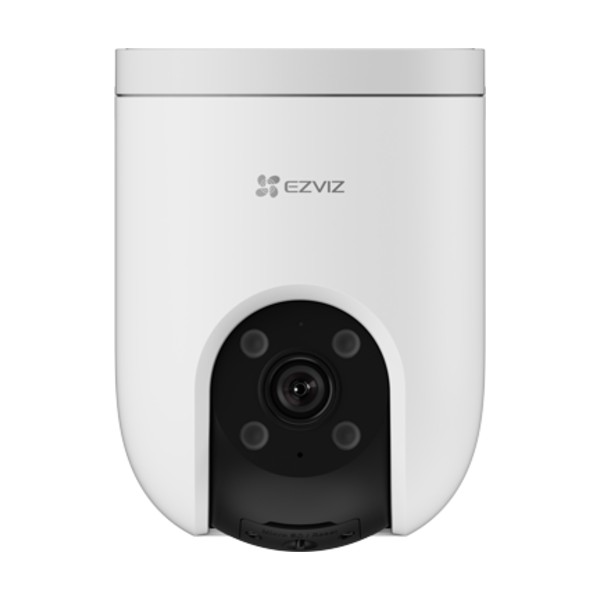
If you rely on memory cards, a few simple steps reduce the theft risk. Mount outdoor cameras high enough that they cannot be pulled down without a ladder, angle a second camera so it can see the first, and choose pan-and-tilt models that can be set to look away from the approach and turn towards motion. For a recorder, put it inside the house rather than in a garage or storeroom near the door, ideally in a cupboard with ventilation. Some households keep the recorder next to the router in a bedroom, which is usually the last place a burglar spends time. Even then, a cloud plan on the single most important camera adds a copy that no intruder can take away.
How much internet does cloud recording use?
Each motion clip uploaded to the cloud uses some of your connection. A 2K camera sends roughly 1 to 2 megabits per second while uploading a clip. A front-door camera triggering 40 short clips a day might upload a few hundred megabytes a day; a camera facing a busy road can upload several gigabytes. On fibre that is barely noticeable. On a 4G router with a monthly data package, it can use a large share of the allowance, and live viewing from your phone adds more.
To keep usage down, set detection zones to ignore the road and moving trees, turn on human or vehicle detection where the camera supports it, and lower the cloud clip quality if the app allows. Our guide to human and vehicle detection explains how smarter detection reduces false alerts.
Privacy and security
Whichever option you choose, protect the account. Footage of your home’s entrances, your family’s routines and your shop’s cash counter is valuable to criminals. Use a strong, unique password for the camera app, turn on two-step verification, and do not share the main account login; use the app’s sharing feature to give family members their own access. Our two-factor authentication guide shows how to set it up on common apps.
Cloud storage means your clips are held by the camera maker. Read the plan’s terms on where data is stored and how long deleted clips are kept. For businesses, footage of customers and staff is personal data, so keep retention short and documented; our guide to CCTV and Sri Lanka’s data protection rules covers what that means.
Which option for which camera?
| Situation | Recommended storage |
|---|---|
| Indoor camera watching a baby or pet | Memory card only |
| Front door or gate at home | Memory card plus 7-day cloud plan |
| Holiday home or remote site on 4G | Memory card plus cloud for key cameras; mind data use |
| Shop counter and stock room | Wireless recorder with continuous recording |
| Three or more outdoor cameras | Wireless recorder, cloud for the most important one |
A popular combination for the main entrance camera is a 128GB card for continuous local recording plus a 7-day cloud plan for theft protection, which comes to Rs 21,600 in the first year. If someone takes the camera, the cloud has the clips; if the internet is down, the card has everything.
-
 EZVIZ
EZVIZ X5S 3K 4-Channel Wireless NVR
Rs 12,400 Add to cart -
 EZVIZ
EZVIZ CloudPlay 7-Day Event Cloud Storage – 1 Year (1 camera)
Rs 12,500 Add to cart -
 EZVIZ
EZVIZ CloudPlay 30-Day Event Cloud Storage – 1 Year (1 camera)
Rs 18,000 Add to cart -
 SanDisk
 Ultra 128GB microSDXC UHS-I Card
Rs 9,100 Add to cart
Checking your recordings work
Whatever storage you use, check it. Once a month, open playback in the app and confirm you can see yesterday’s events from each camera, including at night. Check the card status in the camera settings, since apps usually show “abnormal” or “not formatted” when a card has failed. Renew cloud plans before they lapse, and remember that clips stored under a lapsed plan are usually deleted. Our CCTV maintenance checklist covers a simple monthly routine, and our team can set up cameras, cards and cloud plans for you with our Wi-Fi camera setup service at Rs 2,500 per camera.
Frequently asked questions
Do Wi-Fi cameras record without a memory card?
Only if you have a cloud plan or a recorder. Without any of them, most cameras show live view but keep no recordings.
What size memory card should I buy?
128GB is a good balance for a 2K camera recording motion events. Check the camera’s maximum supported size first.
Is a cloud plan worth it?
For outdoor cameras at entrances, yes. It keeps clips safe even if the camera is stolen or damaged.
Does cloud recording use a lot of data?
It depends on how often the camera is triggered. Tune detection zones to avoid roads and trees, especially on 4G connections.
Can I use a cloud plan and a memory card together?
Yes, and it is the most resilient setup for important cameras.

Eudora Technology is a Kandy-based team working on CCTV, networks, IT support, cloud and websites for homes and businesses across Sri Lanka.