CCTV and Sri Lanka’s Data Protection Act: A Practical Guide for Businesses
CCTV footage of identifiable people is personal data. Signs, retention periods, access requests, staff areas and security under Sri Lanka's PDPA, in plain terms.
Most shops, offices, clinics, schools and apartment buildings in Sri Lanka now run CCTV, and most installed it for good reasons: theft, safety and peace of mind. What many have not considered is that video of identifiable people is personal data. Sri Lanka’s Personal Data Protection Act No. 9 of 2022 sets rules for how organisations collect, use, keep and share personal data, and its core obligations are expected to apply from 1 January 2027. That does not mean CCTV must come down. It means businesses need a clear purpose, visible signs, sensible retention, secure systems and a way to handle requests for footage. This guide explains what that looks like in practice for a typical business. It is general information, not legal advice.
Key points
- CCTV images of people who can be identified are personal data under the PDPA, so the Act’s principles apply to them.
- Have a written purpose for each camera, such as theft prevention or safety, and do not use footage for unrelated purposes.
- Put clear signs where cameras record, saying who operates them and how to contact you.
- Keep footage only as long as you need it, often a few weeks, and overwrite it automatically.
- Secure the recorder and app, limit who can view footage, and keep a log when you share it with police or insurers.
Why CCTV counts as personal data
Personal data means information that identifies a person directly or indirectly. A clear image of a customer’s face, a member of staff at their desk or a vehicle number plate can all identify someone. When your system records them, your business is collecting and storing personal data, and under the PDPA it acts as the controller responsible for handling that data properly. Our overview of the Act, Sri Lanka’s data protection rules and the 2027 date, explains the wider obligations.
Purely domestic CCTV, such as a family’s cameras covering their own house, is generally treated differently from business use, but homeowners should still avoid filming neighbours and the street more than necessary. This guide focuses on businesses and organisations.
The principles applied to cameras
| PDPA principle | What it means for CCTV |
|---|---|
| Lawful purpose | Record for a clear, legitimate reason, such as preventing theft or protecting staff |
| Purpose limitation | Do not reuse footage for unrelated things, such as marketing or monitoring breaks |
| Data minimisation | Point cameras at what matters; avoid toilets, changing rooms and neighbours’ property |
| Transparency | Signs at entrances and a short privacy notice explaining the CCTV |
| Storage limitation | Keep footage only as long as needed, then overwrite it |
| Security | Strong passwords, locked recorder, limited access, updated firmware |
| Data subject rights | A process to respond when someone asks for footage of themselves |
Purpose and camera placement
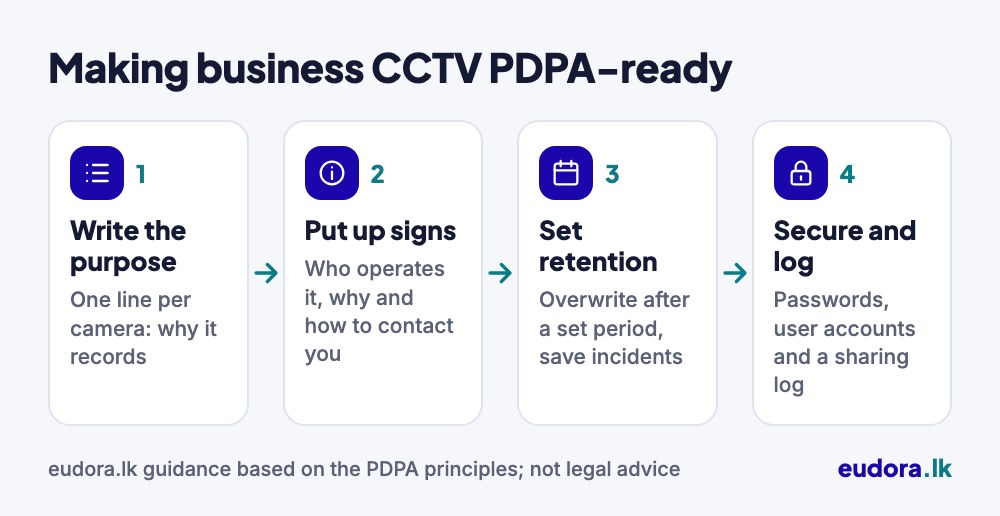
Start by writing down why each camera exists. “Cash counter: theft and dispute resolution”, “Stock room: theft”, “Car park entrance: vehicle security” is enough for a small business. That short record helps you decide what to film and what not to, and it is what you would show the Data Protection Authority or a customer who asks.
Aim cameras at the areas that serve that purpose. A camera on the till does not need to see the whole street outside. Never place cameras in toilets, changing rooms, prayer rooms or rest areas where people expect privacy. Use the recorder’s privacy masking to black out neighbouring buildings, windows and public footpaths beyond what you need. Our guide to CCTV for shops covers placement for common business layouts.
Signs and privacy notices
People should know they are being recorded before they enter a recorded area. Put clear signs at entrances and in recorded areas, in Sinhala, Tamil and English where your customers need it. A good sign says that CCTV is in operation, who operates it (your business name), the purpose and how to contact you. Add a short CCTV section to your website privacy notice or a printed notice at the counter that explains how long footage is kept and how people can ask for it.
Tip: Hidden cameras for general business use are hard to justify. Covert recording should be limited to specific, serious situations, such as a suspected crime, and decided carefully with advice.
How long to keep footage
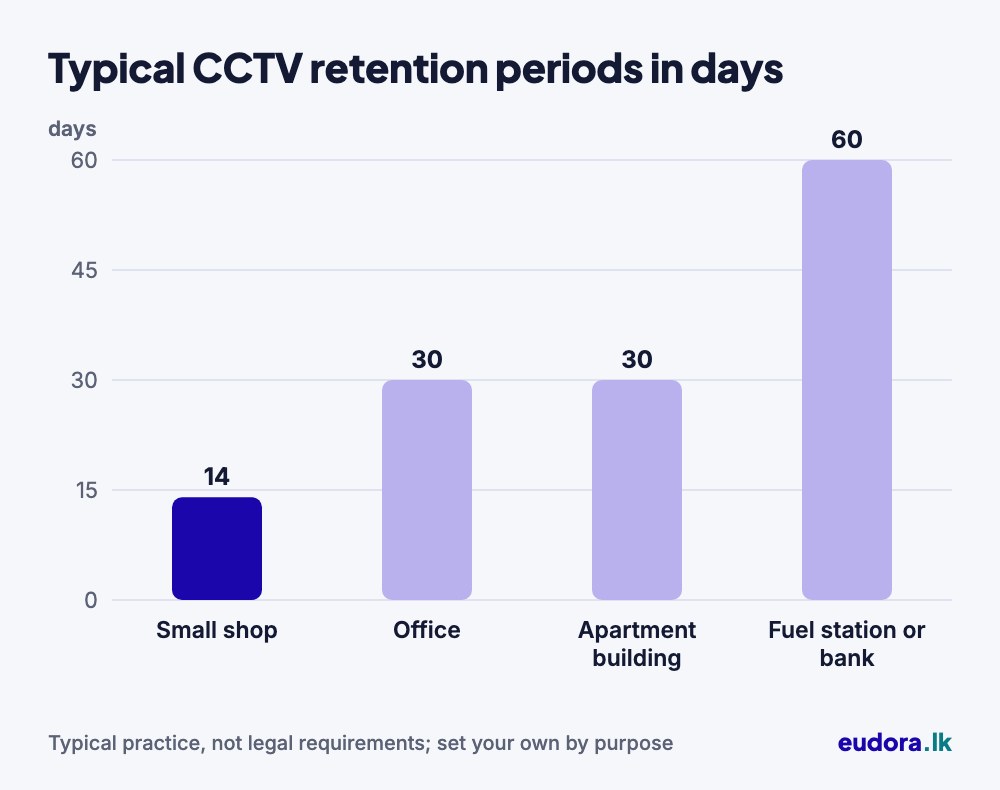
The Act does not set a single number of days for CCTV. The principle is to keep footage no longer than necessary for the purpose. For most shops and offices, incidents are noticed within days, so many businesses set their recorders to keep around 14 to 30 days and overwrite older footage automatically. Higher-risk sites such as banks or fuel stations may justify longer. If an incident happens, save the relevant clip separately and keep it until the matter is closed, then delete it.
Retention is also a hardware question. Your recorder keeps as many days as its hard drive holds, so size the drive to your chosen period rather than buying the largest possible drive and keeping everything. Our guide to CCTV storage explains how to calculate it.
Staff monitoring
Cameras that record staff are the most sensitive. Tell employees in writing where cameras are, why they are there and how footage may be used, for example in a staff handbook or a CCTV policy. Using theft-prevention footage to discipline someone for an unrelated minor matter is likely to breach the purpose limitation principle and damage trust. Avoid continuous close-up recording of individual desks or screens, and do not record audio without a strong reason, because recording conversations is far more intrusive than video.
Requests for footage
Under the PDPA, individuals have rights over their personal data, including access to it. In practice, a customer involved in an incident, a member of staff or a person who believes they were recorded may ask for a copy of footage showing them. Have a simple process: record the request, identify the clip, check whether it shows other people and blur or crop them where needed, and respond within a reasonable time.
Requests from the police, insurers or lawyers are common too. Share only the relevant clip, record who asked, when, which footage was provided and on what basis, and keep that log. Our CCTV maintenance checklist includes testing the export process so you can produce clips quickly.
Securing the system
A CCTV system that anyone can access is a data breach waiting to happen. Footage of your premises, staff and customers must be protected.
- Lock the recorder in a cabinet or comms room; a stolen recorder is stolen footage.
- Change default passwords and give each person their own account with only the access they need.
- Turn on two-step verification for the mobile app; our two-factor authentication guide explains how.
- Update firmware and avoid opening router ports for remote viewing.
- Keep the recorder’s clock correct, because timestamps matter as evidence.
- Wipe drives before disposing of old recorders; our data wiping guide covers how.
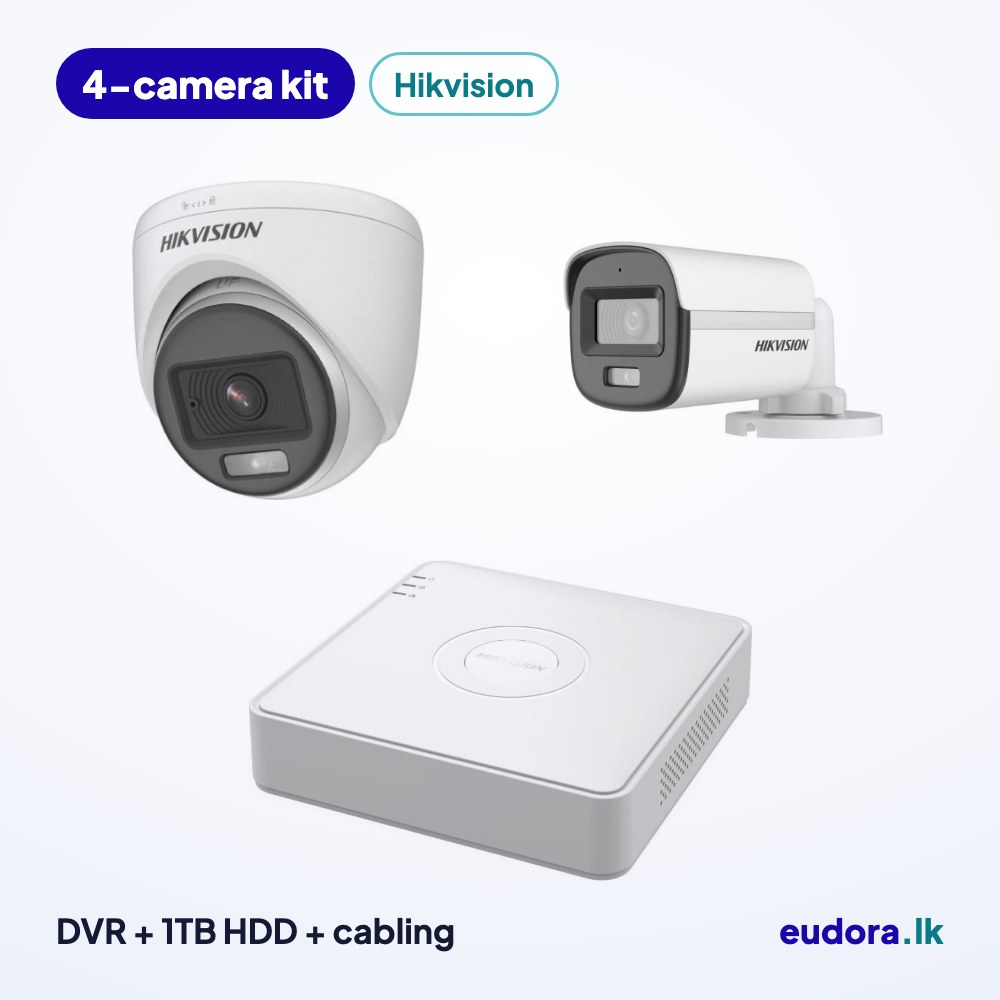
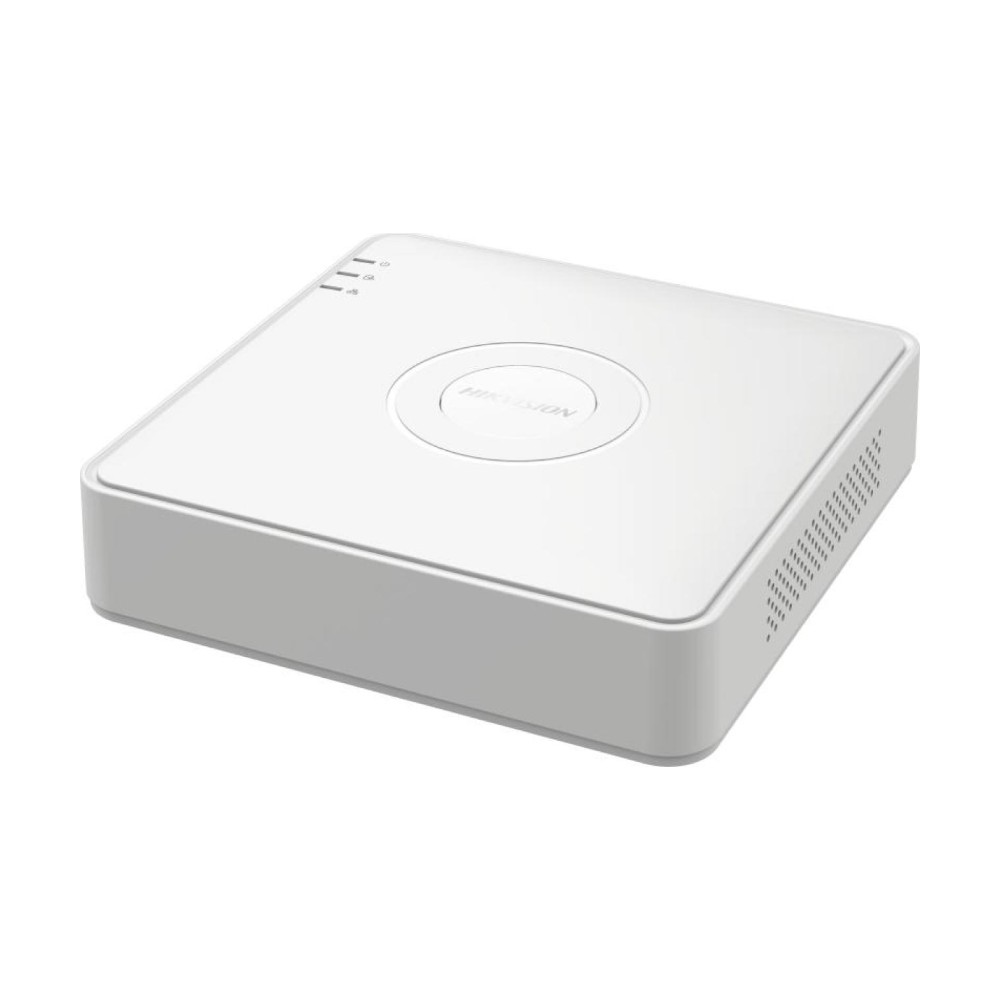
Modern recorders such as the Hikvision iDS-7104HQHI AcuSense DVR at Rs 24,000 support multiple user accounts with separate permissions, privacy masking and audit logs of who viewed or exported footage, which makes good practice much easier.
Cloud storage and installers
If footage is stored in a camera maker’s cloud or viewed by a security company, those providers process personal data on your behalf. Check where the data is stored, who at the provider can access it, and how long it is kept after you cancel. Agree in writing with your installer or monitoring company what they may do with footage, which is usually only what you instruct, and make sure they use their own login rather than sharing yours. When an installer or technician needs remote access for maintenance, create a temporary account and remove it afterwards. These are the same checks you would make for any supplier that handles customer data, and they matter more as the Act’s obligations take effect.
A simple CCTV policy
For a small business, a one-page CCTV policy covers most of what the Act expects: the purpose of the system, a list of camera locations, who can view and export footage, the retention period, how requests are handled and how the system is secured. Review it each year and whenever you add cameras. Our team can review your system against the policy with a small business security check at Rs 24,900, and a maintenance visit at Rs 4,500 confirms retention, passwords, firmware and clock settings; together they come to Rs 29,400. See our CCTV services for details.

Frequently asked questions
Do I need to remove my shop’s CCTV because of the PDPA?
No. The Act does not ban CCTV. It requires a clear purpose, signs, sensible retention, security and a way to handle requests.
How long can I keep CCTV footage?
Only as long as needed for the purpose. Many small businesses keep 14 to 30 days and save specific incident clips separately.
Do I have to give footage to a customer who asks?
People have rights to access their personal data. Provide footage of them, protecting other people in the clip, within a reasonable time.
Can I record audio with CCTV?
Avoid it unless there is a strong, specific reason. Audio recording is much more intrusive than video.
Does this apply to home CCTV?
Purely domestic use is generally treated differently, but avoid filming neighbours and public areas more than necessary.

Eudora Technology is a Kandy-based team working on CCTV, networks, IT support, cloud and websites for homes and businesses across Sri Lanka.