Floodlight and Wall-Light Cameras: Light, Camera and Deterrent in One
A floodlight or wall-light camera replaces an outdoor light with a light, a Wi-Fi camera and a siren in one. How they work, where they suit and what to check before installing one.
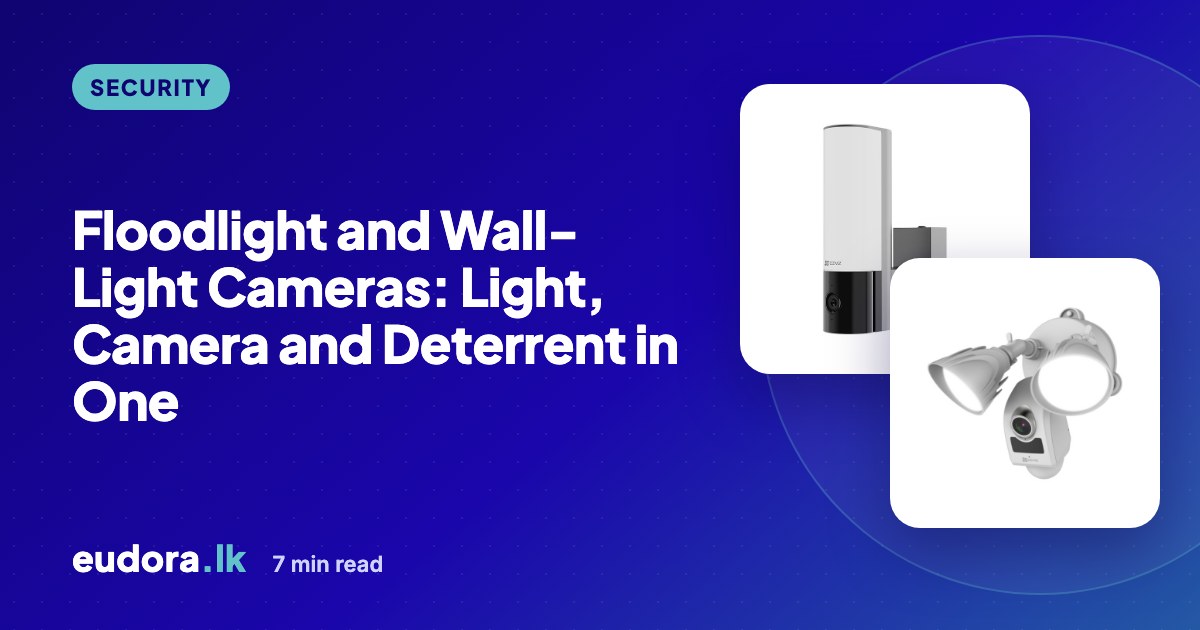
Most homes already have an outdoor light over the gate, the front door or the garage. A floodlight or wall-light camera replaces that light with a single unit that combines the light, a Wi-Fi security camera and, on many models, a siren. When someone approaches at night, the light switches on, the camera records in colour and your phone receives an alert. Because it uses the existing light fitting’s power, there is no separate power supply to run, and the bright light deters intruders before they reach the door. This guide explains how these cameras work, where they suit and what to check before installing one.
Key points
- Floodlight cameras combine a bright motion-activated light, a Wi-Fi camera and usually a siren; wall-light cameras are a smaller, decorative version for doors and walls.
- The light switching on is a strong deterrent and lets the camera record clear colour video at night.
- They are mains powered, typically replacing an existing outdoor light, so installation needs safe electrical work.
- The camera needs a good Wi-Fi signal at the mounting point; check before installing.
- For full coverage of a property, combine one or two light cameras with standard cameras or a wired CCTV system.
Floodlight camera or wall-light camera?
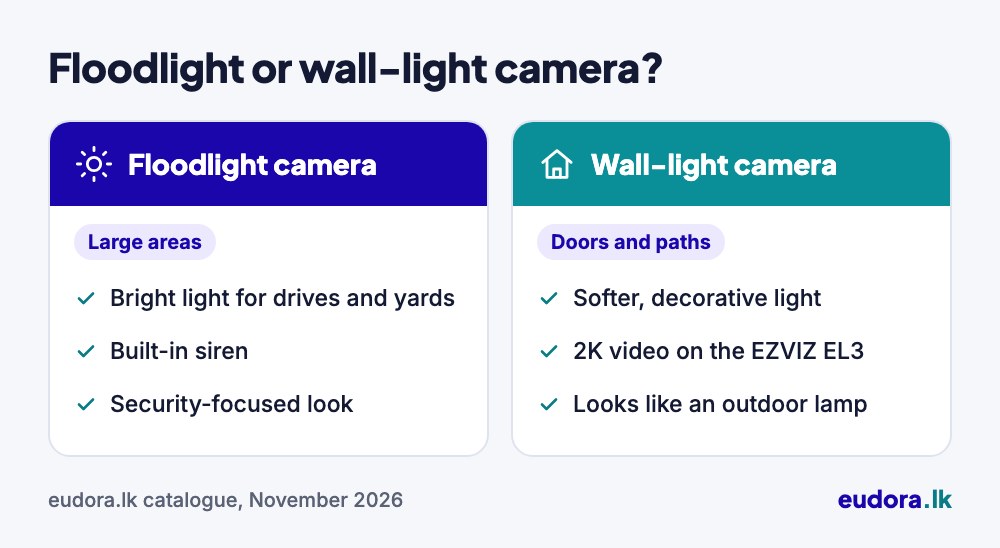
| Floodlight camera | Wall-light camera | |
|---|---|---|
| Light output | Bright floodlight for large areas | Softer light for doors and paths |
| Typical location | Driveways, gates, back yards, garages | Front doors, porches, side walls |
| Appearance | Functional, security-focused | Looks like a decorative outdoor lamp |
| Siren | Usually built in | Varies by model |
| Example | EZVIZ LC1 | EZVIZ EL3 2K |
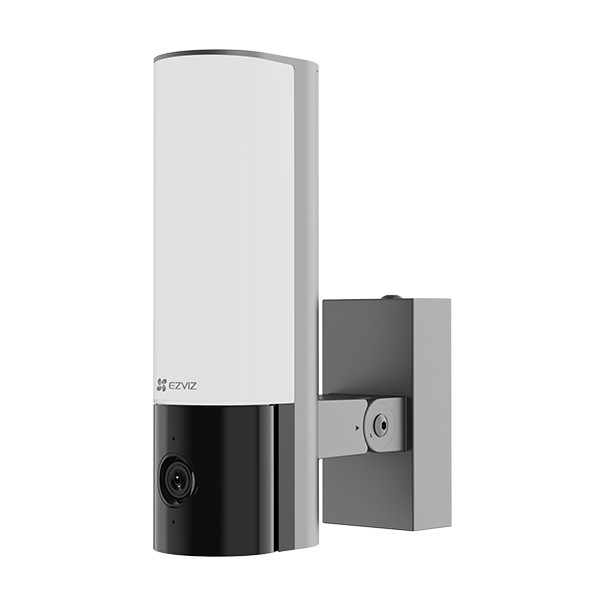
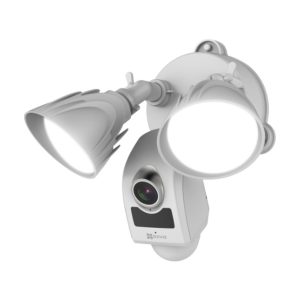
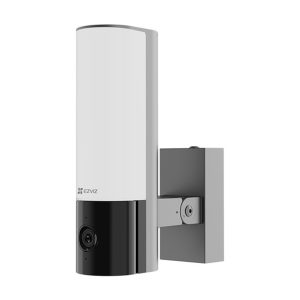
The EZVIZ LC1 floodlight camera uses a PIR motion sensor to switch on its light and camera and includes a siren. The EZVIZ EL3 wall-light camera records in 2K (3MP) with a 130-degree view, colour night vision up to 15 metres, dual-band Wi-Fi 6 and IP65 weather protection, in a design that looks like an ordinary outdoor wall lamp.
How they work
Most light cameras use a passive infrared (PIR) sensor, which detects body heat moving across its view. When it triggers, the unit switches on the light, starts recording and sends an alert to the app. Many models also use the camera’s image analysis to tell people from other movement, reducing alerts from swaying plants or passing cars. You can usually schedule the light, set it to stay on at a low level through the evening, or trigger the siren manually from the app when you see something suspicious.
The light also improves the video. Standard outdoor cameras switch to black-and-white infrared at night, which shows shapes but not the colour of clothing or vehicles. With the light on, a light camera records in full colour, which makes identification far easier. Our guide to CCTV night vision explains the different approaches cameras use after dark.
Compared with other outdoor cameras
| Option | Strengths | Limitations |
|---|---|---|
| Floodlight or wall-light camera | Light, camera and deterrent in one; uses existing light wiring | Mains wiring needed; Wi-Fi must reach |
| Standard Wi-Fi outdoor camera | Flexible placement; simple to add | Needs a power point; less visible deterrent |
| Wired CCTV system | Reliable recording, many cameras, no Wi-Fi | Cabling to each camera; recorder needed |
| Battery camera | No wiring at all | Battery charging; slower to wake |
Light cameras work best as part of a wider system: one at the gate or driveway and one at the back door, with standard cameras or a wired CCTV kit covering the rest of the property. Our comparison of Wi-Fi cameras and wired CCTV explains when each approach makes sense.
Where to fit them
- Above the driveway or gate: lights the approach and records vehicles and visitors.
- Over the back door or kitchen entrance: the most common route for break-ins in homes.
- Beside the garage: protects vehicles and stored equipment.
- Along a dark side passage: lights a route intruders use to reach the back of the house.
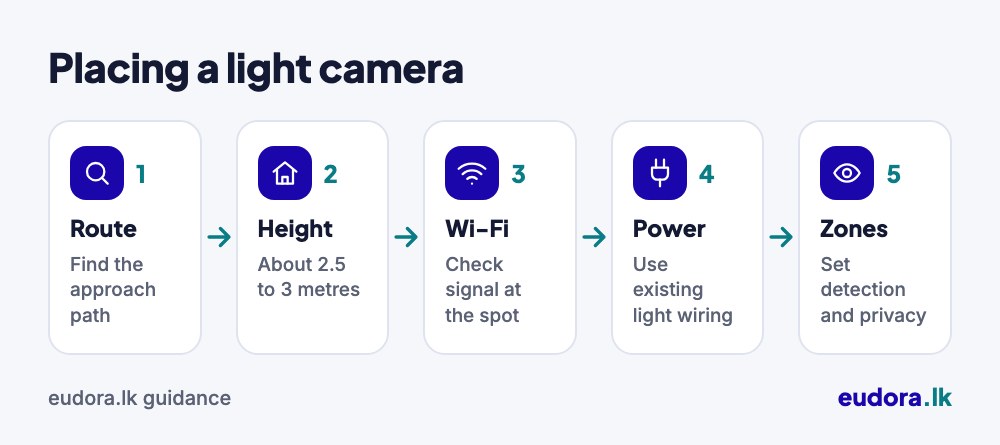
Mount the unit at the height recommended by the manufacturer, usually around 2.5 to 3 metres, high enough to be out of easy reach but low enough to see faces. Aim the motion sensor across the path people take rather than straight down it, because PIR sensors detect sideways movement more reliably. Avoid pointing the light at neighbours’ windows or the road, where it may dazzle drivers.
Tip: Stand at the mounting point with your phone before installing and check the Wi-Fi signal. Outdoor walls often have weak coverage; a mesh Wi-Fi node or outdoor access point fixes it.
Installation and power
Floodlight and wall-light cameras run on 240V mains power and usually replace an existing outdoor light fitting. That makes installation simple in principle: switch off the circuit at the distribution board, remove the old light, and connect the camera to the same wires. In practice, outdoor electrical work should be done by someone qualified, with weatherproof connections and the circuit safely isolated. Leave the wall switch on permanently, or the camera loses power when the light switch is turned off; many people fit a cover over the switch or move control to the app.
The EZVIZ LC1 costs Rs 29,600, and with professional mounting and app setup the total is Rs 32,100. A wall-light camera for the front door and a floodlight camera for the back come to Rs 64,900 for both units.
Recording and storage
Like other Wi-Fi cameras, light cameras record to a microSD card in the unit, to optional cloud storage, or both. A microSD card keeps recordings at home with no monthly fee, but a thief who takes the camera takes the card too. Cloud storage keeps a copy off-site and is safer for evidence, at a monthly cost. Many people use a card for everyday recording and cloud storage for the most exposed cameras. Our guide to memory cards explains which cards suit continuous recording.
Setting up alerts that stay useful
A light camera that sends an alert every time a car passes or a branch moves soon gets muted, and then it protects nothing. Spending ten minutes on the settings after installation makes the difference between alerts you read and alerts you ignore.
- Draw detection zones around your gate, path and door, and exclude the road and neighbouring gardens.
- Turn on person detection where the camera supports it, so animals and moving plants do not trigger alerts.
- Schedule alerts for night time and when the house is empty, and keep recording running all the time.
- Set the light’s behaviour: a low glow through the evening with full brightness on motion suits most homes.
- Share access with family members so someone sees an alert even when you are busy or travelling.
- Test the siren once so everyone in the house knows what it sounds like and how to silence it.
Review the settings after the first week. The motion history in the app shows exactly what triggered each alert, which makes it easy to tighten a zone or lower the sensitivity where needed.
Weather, maintenance and the monsoon
Outdoor cameras in Sri Lanka face heavy rain, high humidity, strong sun and, near the coast, salty air. Weather ratings such as the EL3’s IP65 mean the unit is protected against dust and water jets, but installation still matters. Mount the unit under an eave where possible, make sure the cable entry is sealed, and keep the camera facing slightly downwards so rain runs off the lens. Before the monsoon, check the seal on the wiring box and wipe the lens and the motion sensor. Spider webs in front of the lens are a common cause of constant false alerts at night, because insects attracted to the light move across them. A quick clean every few months keeps both the video and the alerts reliable. Our guide to preparing security systems for the monsoon has more on this.
Using them considerately
Bright security lights and cameras affect neighbours. Aim the light and camera at your own property, use motion activation rather than leaving the floodlight on all night, and set privacy masks in the app to block out neighbours’ windows and gardens. Sri Lanka’s Personal Data Protection Act applies to recordings of people, so keep footage secure and use it only for security.
Frequently asked questions
Do floodlight cameras need Wi-Fi?
Yes, for alerts, live view and app control. Most record to a microSD card locally, so recording continues if the internet drops, as long as the camera has power.
Can I install a floodlight camera myself?
It connects to 240V mains wiring, so unless you are qualified to do electrical work, use an electrician or installer.
Will the light come on for cats and dogs?
PIR sensors can trigger on animals. Adjust the sensitivity and detection zones, and use person detection where available to reduce false alerts.
Does the camera work during a power cut?
No, unless the circuit is on a backup supply such as an inverter. Battery cameras or a CCTV system on a UPS keep working during outages.
Is a wall-light camera bright enough for a driveway?
It suits doors, porches and paths. For a wide driveway or yard, a floodlight camera gives more light.

Eudora Technology is a Kandy-based team working on CCTV, networks, IT support, cloud and websites for homes and businesses across Sri Lanka.