AI PCs Explained: Do You Need an NPU or a Copilot+ Laptop in 2026?
Every new laptop now claims to be an AI PC. What an NPU actually does, what Copilot+ means, and whether it should change which laptop you buy.
Walk into any computer shop in Colombo or Kandy and you will see “AI PC” stickers on laptops at almost every price. Microsoft has a special label, Copilot+ PC, for machines with a powerful neural processing unit. Apple talks about Apple Intelligence. Intel and AMD print TOPS figures on the box. It is fair to ask whether any of this matters for writing documents, joining Zoom calls and running the accounts package. This guide explains what an NPU is, what the numbers mean, which AI features actually run on the laptop, and how much weight to give it when you buy.
Key points
- An NPU is a small, power-efficient processor for AI tasks such as background blur, live captions and on-device image tools.
- Microsoft’s Copilot+ PC label needs an NPU of at least 40 TOPS. Many 2025 and 2026 business laptops have NPUs of about 12 to 13 TOPS and do not qualify.
- The AI tools most people use, such as ChatGPT, Gemini and Copilot in the browser, run in the cloud and work on any laptop.
- For most buyers, 16GB of memory and a good SSD still matter more than the NPU.
What an NPU actually does
A laptop has three kinds of processor. The CPU handles general work. The GPU draws the screen and handles graphics and some heavy maths. The NPU, or neural processing unit, is a newer addition designed for the kind of calculations AI models use. It can do those calculations using far less power than the CPU or GPU, which matters on battery.
In everyday use the NPU handles small, continuous AI jobs: blurring your background or keeping you centred on a video call, cancelling background noise from the microphone, generating live captions, and searching photos by what is in them. These jobs could run on the CPU, but they would drain the battery and slow other work.
NPU performance is quoted in TOPS, trillions of operations per second, usually for simple 8-bit calculations. It is a peak figure, like a car’s top speed, and is mainly useful for comparing chips from the same generation.
What makes a Copilot+ PC
Microsoft introduced the Copilot+ PC label in 2024 for Windows 11 laptops with an NPU of 40 TOPS or more, along with at least 16GB of memory and 256GB of storage. These machines get a set of extra Windows features that run on the device rather than in the cloud.
| Copilot+ feature | What it does | Useful for |
|---|---|---|
| Recall (opt-in) | Saves snapshots so you can search what you saw on screen | Finding a document or web page you looked at last week |
| Click to Do | Suggests actions for text or images on screen | Summarising, rewriting or looking things up quickly |
| Live captions with translation | Captions audio in real time and translates many languages to English | Video calls and videos in other languages |
| Windows Studio Effects | Camera and microphone effects on the NPU | Better video calls with less battery drain |
| Image tools in Paint and Photos | On-device image generation and editing | Quick graphics without an online tool |
The list is useful but not essential for most people. Microsoft has also shifted its message during 2026 towards making every Windows 11 PC an AI PC, with many Copilot features running in the cloud regardless of the NPU. That makes the 40 TOPS line less important than it looked in 2024.
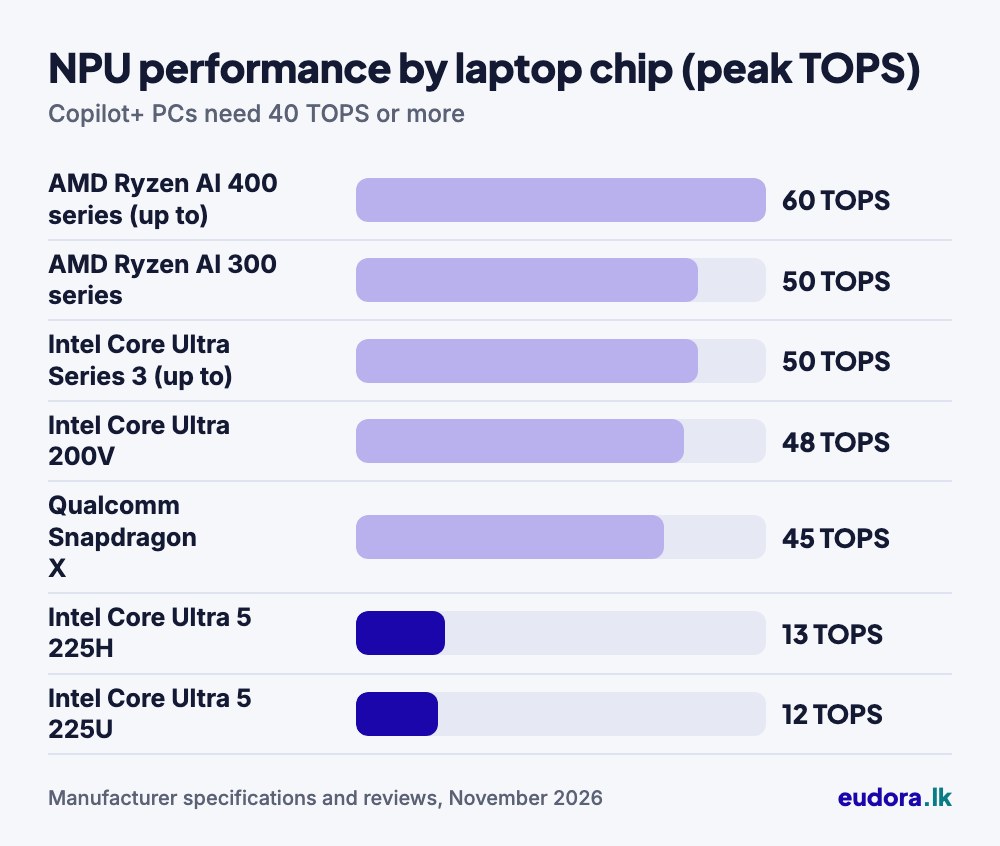
Which chips reach 40 TOPS?
The first Copilot+ laptops used Qualcomm Snapdragon X chips. Since then AMD’s Ryzen AI 300 and 400 series and Intel’s Core Ultra 200V and Core Ultra Series 3 chips have NPUs above the line. Many mainstream business laptops sold in 2025 and 2026, however, use Intel Core Ultra 5 200U and 200H chips, whose NPUs are rated at about 12 to 13 TOPS. They are fast, modern laptops, but they are not Copilot+ PCs.
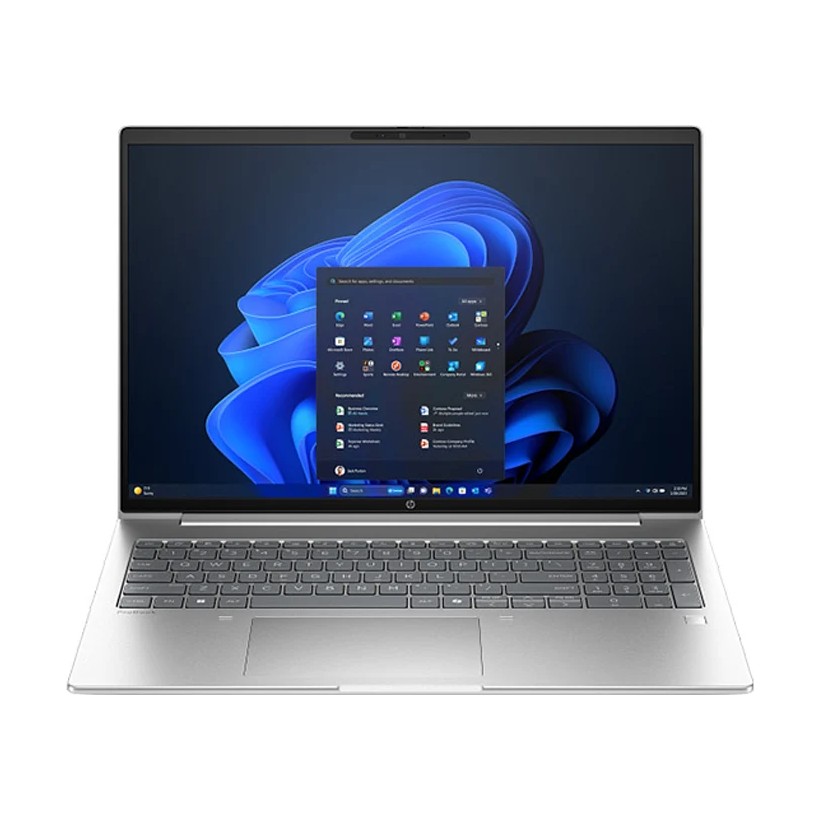
Apple handles this differently. Its chips have had a Neural Engine for years, and Apple Intelligence features run on supported Macs, iPhones and iPads, using Apple’s cloud for larger requests. A MacBook does not carry a Copilot+ label, but on-device AI is built in.
What runs on the laptop and what runs in the cloud
This is the part that matters most for buying decisions. The AI tools most people use today are cloud services: ChatGPT, Google Gemini, Microsoft Copilot in the browser or in Microsoft 365, and AI features in Canva or Grammarly. They run on large servers, and your laptop only sends the request and shows the answer. They work just as well on a five-year-old laptop as on a new Copilot+ PC, provided the internet connection is good.
| Task | Runs where | Does the NPU matter? |
|---|---|---|
| Chatting with ChatGPT, Gemini or Copilot | Cloud | No |
| Copilot in Word, Excel and Outlook | Mostly cloud | No |
| Background blur and noise cancelling on calls | Laptop | Yes, for battery life |
| Live captions and translation | Laptop on Copilot+ PCs | Yes |
| Running a local AI model offline | Laptop | Yes, but memory and GPU matter as much |
| Photo and video editing AI tools | Laptop or cloud, by app | Sometimes |
Tip: If AI matters to you mainly through ChatGPT or Copilot, spend the money on a reliable internet connection and enough memory rather than on a higher NPU rating.
What to prioritise when you buy a laptop now
Industry analysts expect AI-capable PCs to be the majority of new shipments. Counterpoint Research, for example, forecast that AI-advanced PCs would reach about 59% of global shipments in 2026, up from about 39% in 2025. In practice that means you will get an NPU whether you seek one or not. The questions that matter are the same as before, with a few updates.
- Memory first. 16GB is the comfortable minimum for Windows 11 with modern browsers and AI features. 8GB works for light use but will feel tight within a few years. Check whether memory can be upgraded later.
- SSD of 512GB or more. AI features, Windows updates and photos all take space.
- Battery and weight if you carry the laptop. Efficient chips with good NPUs help here.
- Copilot+ only if you will use the features. Live translation and Recall are genuinely useful for some people; for others they are never opened.
- Screen and keyboard. You will look at and type on the laptop every day for years.
-
 Apple
Apple MacBook Neo 13-inch – A18 Pro, 8GB, 512GB SSD
Rs 310,000 Add to cart -
 HP
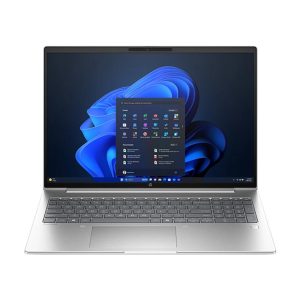
HP ProBook 4 G1i 14 Laptop – Core Ultra 5 225U, 16GB, 512GB SSD
Rs 472,000 Add to cart -
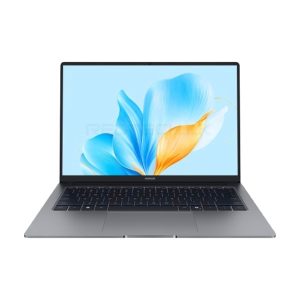 HONOR
HONOR MagicBook X16 2025 Laptop – Core i5-13420H, 16GB, 512GB SSD
Rs 242,900 Add to cart -
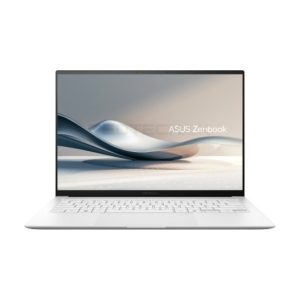 ASUS
ASUS Zenbook 14 OLED UX3405CA Laptop – Core Ultra 5 225H, 16GB, 1TB SSD
Rs 486,000 Add to cart
As an example of how priorities change the price, the ASUS Zenbook 14 OLED with an Intel Core Ultra 5 225H, 16GB and a 1TB SSD costs Rs 486,000, while the HONOR MagicBook X16 with a 13th-generation Core i5, 16GB and a 512GB SSD costs Rs 242,900. The difference of Rs 243,100 buys an OLED screen, double the storage and a newer chip with an NPU. For many office users, the MagicBook’s 16GB of memory is the more important feature. Our laptop buying guide walks through the other choices.
Running AI models on your own laptop
A growing number of people run small AI models locally, using free apps that download an open model and answer questions without an internet connection. This is where the hardware matters most, but not only the NPU. Local models need a lot of memory to load, and many apps still use the GPU rather than the NPU. As a rough guide, 16GB of memory runs small models comfortably and 32GB gives room for larger ones.
For most homes and offices this is an interest rather than a need. If you want to experiment, choose a laptop with more memory first and a strong NPU second, and expect cloud tools to remain faster and more capable for everyday work.
Privacy and on-device AI
One genuine advantage of on-device AI is privacy. When captions, translation or photo searches run on the NPU, the audio or images do not need to leave the laptop. That can matter for businesses that handle customer records or confidential documents. Recall, in particular, stores snapshots of your screen; Microsoft made it opt-in and protects it with Windows Hello, but businesses should decide deliberately whether to allow it.
Cloud AI tools raise the opposite question: what happens to the text you paste into them. Business versions of Copilot and similar tools usually keep your data out of model training, while free consumer versions may not. If your staff use AI at work, agree simple rules about what may and may not be pasted in. Our cybersecurity team can help set those rules up.
Whatever you choose, a new laptop is also a good moment to move off Windows 10, which no longer receives free security updates; our guide to Windows 10 end of support explains the options. We can set up any laptop you buy from us with Windows updates, antivirus and your accounts through our IT support service.
Frequently asked questions
Do I need an AI PC to use ChatGPT or Copilot?
No. ChatGPT, Gemini and Copilot in the browser or Microsoft 365 run in the cloud and work on almost any laptop with a good internet connection.
What does TOPS mean on a laptop box?
Trillions of operations per second, a peak measure of how fast the NPU can run AI calculations. It is useful for comparing chips but says little about everyday speed.
Is a Core Ultra 5 laptop a Copilot+ PC?
Not necessarily. Core Ultra 5 200U and 200H chips have NPUs of about 12 to 13 TOPS, below the 40 TOPS Copilot+ requirement. Core Ultra 200V and Series 3 chips reach it.
Can a MacBook use AI features?
Yes. Supported Macs run Apple Intelligence features on Apple’s own Neural Engine, with larger requests handled by Apple’s cloud.
Should a small office pay extra for Copilot+ laptops?
Only if staff will use features such as live translation or Recall. Otherwise put the money into memory, storage and warranty.

Eudora Technology is a Kandy-based team working on CCTV, networks, IT support, cloud and websites for homes and businesses across Sri Lanka.