Where to Place CCTV Cameras Around Your Home
Placement decides what your cameras can actually see. Here is where to put them around a Sri Lankan home, how high to mount them and how to handle glare, privacy, power, Wi-Fi and monsoon rain.
A camera in the wrong place can record for months and still miss what matters: a face hidden under a cap, a gate lost in glare, or a driveway that only shows the roof of a car. This guide walks around a typical Sri Lankan home, from the gate to the back door, and explains where each camera should go, how high to mount it and how to handle glare, privacy, power, Wi-Fi and rain.
Key points
- Cover the routes into the house, not only the doors: the gate, the driveway, the front and back doors and the side passages.
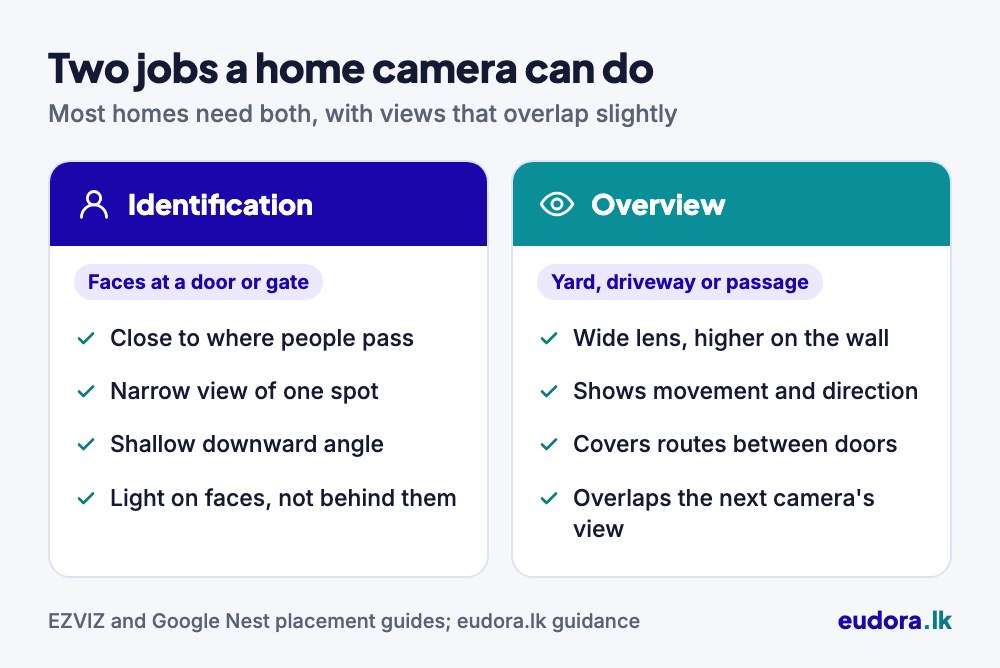
- Give each camera one job: faces at a spot people must pass, or an overview of an area.
- About 2.5 to 3 metres suits most outdoor walls. Keep the angle shallow where you need faces, and keep every camera out of reach.
- Keep the sky and lamps out of the frame, mask neighbours’ windows and the road, and check power, Wi-Fi and rain protection at every spot.
Start with the routes, not the doors
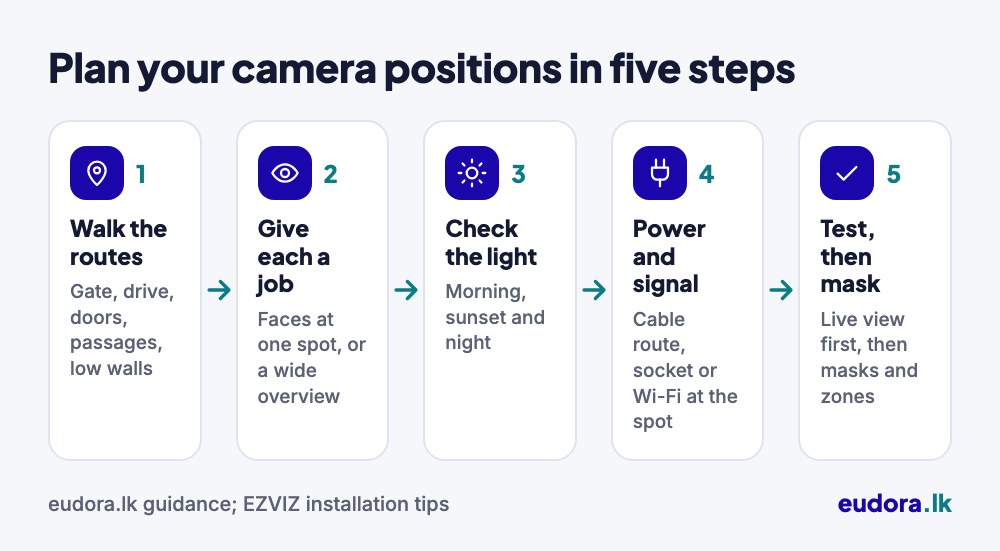
Walk around the house and think about how someone would get in: through the gate, along the driveway, down a side passage or over a low part of the boundary wall. Doors are where people stop, but paths are where they walk towards a camera. A camera covering the path to a door records a face on the way in, even if the person turns back.
Then give each camera one job. An identification camera sits close to a spot people must pass, such as the gate opening or the front steps, so a face fills enough of the picture. An overview camera covers the garden or driveway and shows where someone went. Let the views of adjacent cameras overlap slightly, as EZVIZ recommends in its camera placement guide.
The spots that matter, one by one
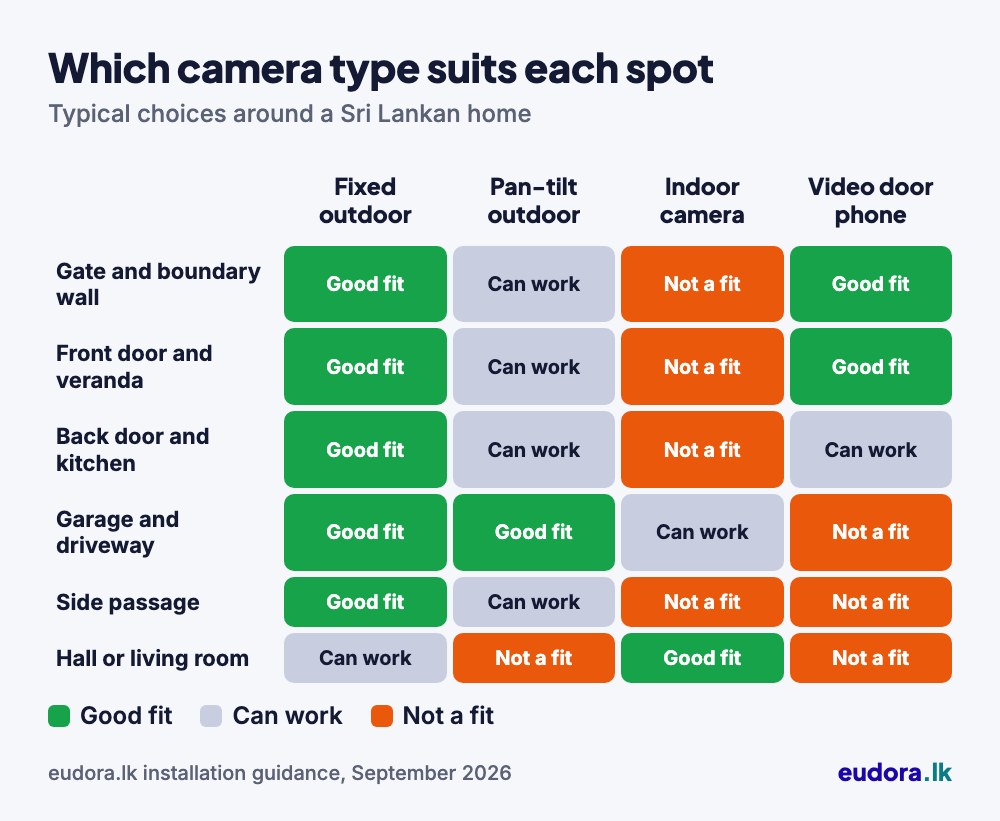
For a typical home, four cameras cover the gate, the front door, the back door and one side, which is the starting point in our guide to choosing a home CCTV system. Corner plots, large gardens and two-storey houses may need six to eight.
| Spot | Mounting idea | Watch out for |
|---|---|---|
| Gate and boundary wall | Aimed at the gate opening, from the house or inside the wall | Headlights, street lights, the road |
| Front door and veranda | Under the veranda roof, a little to one side | Bright garden or sky behind visitors |
| Back door and kitchen | Under the eaves, covering the path to the door | Low roofs, tanks or walls that give reach |
| Garage and driveway | High on the house wall, at a slight angle to the drive | Parked cars blocking the view |
| Side passages | At one end, looking along the passage | Nearby walls reflecting infrared |
| Hall or living room | A high corner facing the doors | Bedrooms, bathrooms and windows |
Gate and boundary wall
Everyone who arrives on foot or by vehicle passes through the gate, so it is often the most useful camera. A camera on the house that takes in the whole frontage often shows people at the gate too small to recognise, so aim one camera at the opening itself, with a narrower lens if the gate is several metres away. Our resolution guide shows how many pixels a face needs. Keep the view off the road and the houses opposite, and remember that a camera on a gate pillar can be reached from the street. A video door phone at the gate also lets you talk to visitors.
Front door and veranda
Mount the camera under the veranda roof, a little to one side of the door, so it sees faces as people walk up the steps rather than the tops of their heads at the door. The roof also shelters it from rain and sun. Avoid a view from the shade out towards a bright garden or sky, which turns visitors into dark shapes.
Back door and kitchen entrance
The back of the house is usually out of sight of the road, so it deserves its own camera. Cover the path to the kitchen door and the service area, and check that the camera cannot be reached from a low roof, a water tank stand or the top of a wall.
Garage and driveway
A camera high on the house wall, looking down the drive at a slight angle, sees vehicles arriving without staring into their headlights, and a parked car does not block it. A pan-and-tilt camera such as the EZVIZ H8c Pro 2K can cover a wide driveway and garden, but it looks one way at a time, so do not rely on it alone for the gate.
Side passages
A fixed camera at one end, looking along the passage, covers its whole length. Keep the lens clear of nearby walls, gutters and plants: infrared light bounces off close surfaces and washes out the night picture, as Google’s camera placement advice also notes.
Inside the house
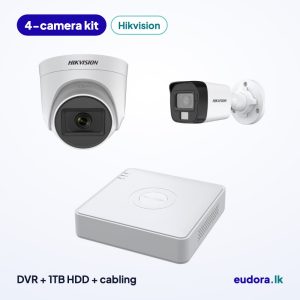
Indoor cameras are optional; the hall, the foot of the stairs or the inside of a closed garage are useful spots. Our 4-camera HD kit includes two indoor and two outdoor cameras for this kind of mix. Hikvision lists the DS-2CE76D0T-EXLPF turret as an indoor camera, so keep it inside. An indoor camera looking out through a window works poorly at night, because the glass reflects its infrared light.
How high, and at what angle
There is no single right height, but there is a sensible range. The EZVIZ guide suggests 2.5 to 3 metres off the ground: out of reach, but low enough to see faces. Much higher and you record caps and the tops of heads; much lower and the camera is easy to knock aside or cover.
Where faces matter, keep the downward angle shallow. Google’s advice for its Nest cameras is head height or a little above, tilted slightly down. In practice, mount a door camera at the lower end of the range or further back from the door, so it looks across at people. Overview cameras can go higher, under the eaves.
Out of reach means out of reach from anything a person can stand on, such as a wall, a water tank or a window grille. Run cables in conduit or through the roof space, and turn on tamper alerts: Hikvision DVRs can raise an alarm when a lens is covered or a camera’s video is lost.
Tip: before drilling, have someone hold the camera in position while you watch the live view on your phone, then walk the route yourself. EZVIZ suggests the same check in its outdoor installation tips.
Keep the sky and bright lights out of the picture
A camera sets its exposure for the whole picture, so a bright sky, a sunny gateway or a lamp behind a visitor turns them into a silhouette. Google calls this backlighting.
- Tilt cameras down so the sky fills little of the frame. On sloping plots, common around Kandy, a camera looking uphill towards the gate takes in more sky, so it needs more downward tilt or a higher mounting point.
- Keep street lights, gate lamps and the veranda light out of view, and let lamps light the visitor, not the lens.
- Check each view in the early morning and late afternoon, because cameras facing east or west look into low sun. EZVIZ suggests a test at sunset.
- Expect headlights at gates that face a road. The Hikvision Smart Hybrid Light cameras in this guide offer BLC (backlight compensation) and HLC (highlight compensation, which suppresses strong lights such as headlights), but they cannot rescue a camera aimed into the light.
White light from ColorVu or Smart Hybrid Light cameras can also shine into a neighbour’s window. Our guide to CCTV night vision compares the options.
Privacy: neighbours, bedrooms and masking
Angle each camera at your own gate, walls and garden. EZVIZ advises against aiming cameras at neighbouring properties unnecessarily, and Google reminds Nest owners that they are responsible for following privacy laws. Where a view has to include part of the road or a neighbour’s window, block it with a privacy mask. Hikvision’s DVR user manual describes up to four mask areas per camera, which are neither shown nor recorded.
Motion detection zones are different: they only limit alerts, and the full picture is still recorded. EZVIZ describes its no-filming privacy zones as a feature of specific doorbell models, so check your camera’s settings in the app. If there is no mask option, aim the camera away from areas you should not record.
Indoors, keep cameras out of bedrooms and bathrooms, and tell family, guests and anyone who works in your home where the cameras are. EZVIZ cameras such as the H6c Pro 2K have a sleep mode you can turn on while you are at home, which stops live view and recording.
Sri Lanka’s Personal Data Protection Act does not apply to personal data processed by an individual purely for personal, domestic or household purposes (section 2(3)). If your cameras also cover a shop, an office or staff, see our PDPA guide and check with the Data Protection Authority or a lawyer.
Power, cable and Wi-Fi at each spot
Every camera spot needs power and a route for its video, and the type of camera decides what that means.
- Wired HD cameras get video and 12V power through one cable from a supply beside the DVR, so they need a cable route, not a socket. Our HD kits include the power supply and cable.
- IP cameras take power and data through one network cable from a PoE recorder or switch, up to about 100 metres per run.
- Wi-Fi cameras still need power. The H8c Pro 2K uses a 12V 1A adapter, so plan a socket nearby or a weatherproof outdoor one.
The H8c Pro 2K and H6c Pro 2K use 2.4 GHz Wi-Fi, which concrete slabs and large gardens still weaken. Test the signal at the exact spot before drilling, as EZVIZ advises. If it is weak, the H8c Pro 2K has an Ethernet port, or a range extender or mesh system can help; our networking team can set either up. Keep the recorder, the camera power supply and the router in a ventilated spot on a UPS so recording continues through power cuts. Wi-Fi cameras on their own adapters still go off when their sockets lose power.
Rain, sun and the monsoon
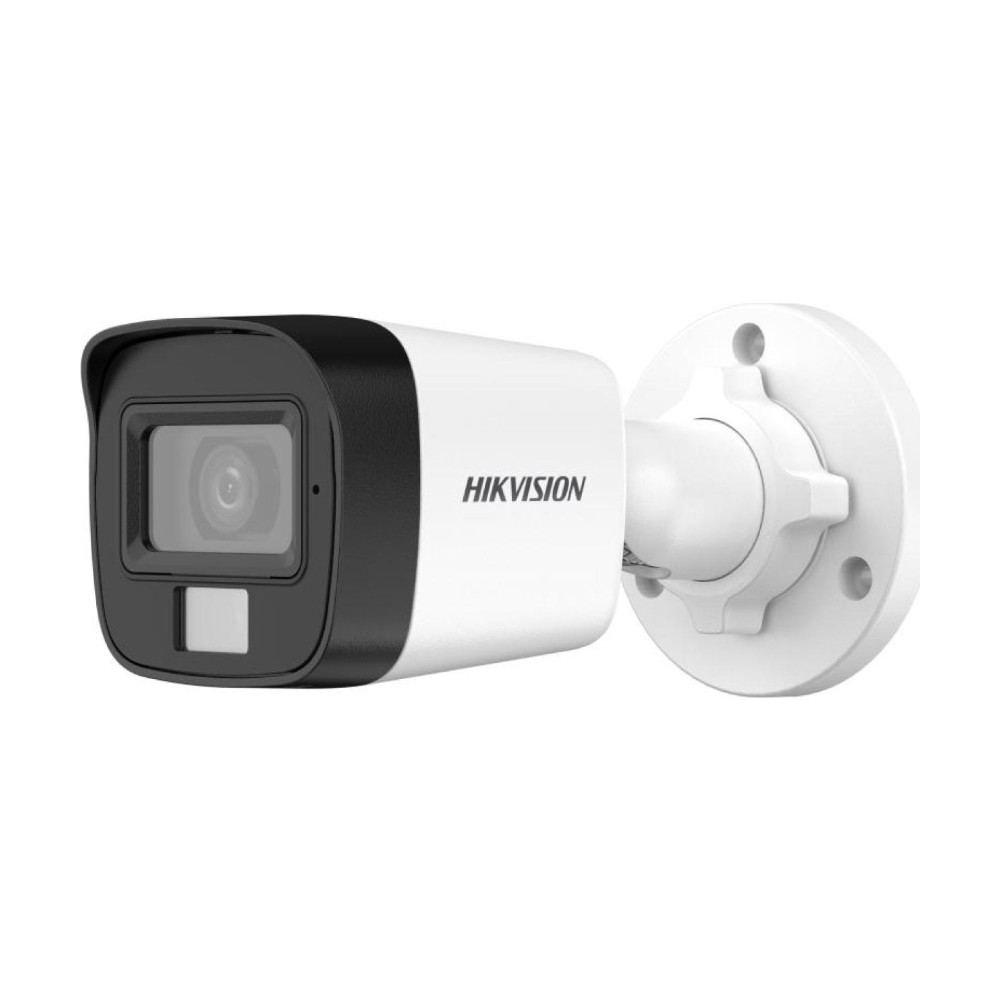
Outdoor cameras carry an IP rating under the IEC 60529 standard, typically IP65, IP66 or IP67. All three are dust-tight; the second digit covers water, with 5 for water jets, 6 for powerful jets and 7 for temporary immersion. Check the exact model: Hikvision rates the DS-2CE16D0T-EXLPF bullet IP67 but lists the DS-2CE76D0T-EXLPF turret as an indoor camera, and EZVIZ describes the H8c Pro 2K as weatherproof.
The rating covers the camera, not the joints behind it. Seal connectors in a junction box or the waterproof kit supplied with the camera (EZVIZ includes one with the H8c Pro 2K), and let the cable dip below the joint so water drips off instead of running in. Eaves and veranda roofs keep off rain and direct sun. Long outdoor cable runs can pick up surges during thunderstorms, so plan surge protection and earthing at the same time.
Plan it before you drill
Moving a camera after the cables are in is slow and leaves holes, so settle the positions first.
For a second opinion, our free site survey within Kandy city limits covers camera positions, cable routes and backup power, and the project builder gives an itemised estimate for a four-camera home system. See our CCTV installation service for what is included.
-
 KitHikvision
4-Camera 2MP HD CCTV Kit (Hikvision Turbo HD)
Rs 79,300 Add to cart -
 Hikvision
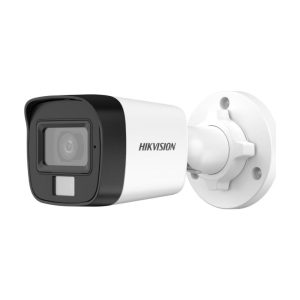
 DS-2CE16D0T-EXLPF 2MP Smart Hybrid Light Bullet Camera
Rs 5,900 Add to cart -
 EZVIZ
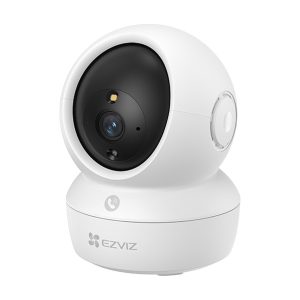
EZVIZ H6c Pro 2K Pan & Tilt Indoor Wi-Fi Camera
Rs 8,900 Add to cart -
 EZVIZ
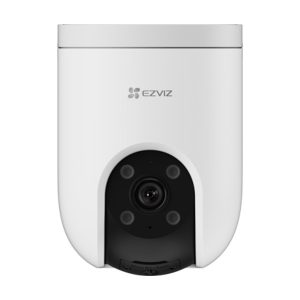
EZVIZ H8c Pro 2K Pan & Tilt Outdoor Wi-Fi Camera
Rs 14,500 Add to cart
Frequently asked questions
How high should I mount an outdoor CCTV camera?
About 2.5 to 3 metres suits most walls: out of reach from the ground, but low enough to see faces. Keep door and gate cameras at a shallow angle so they look across at people rather than down on their heads.
Can my camera see the road or my neighbour’s house?
Aim cameras at your own property. Where a view must include part of the road or a neighbour’s window, block those areas with privacy masks, which Hikvision recorders neither show nor record.
Should cameras be visible or hidden?
Visible cameras can discourage casual intruders, a point both EZVIZ and Google make. Keep them out of reach, and consider one less obvious camera covering the approach, so any tampering is recorded too.
Can I point an indoor camera out of a window?
It can work in daylight, but at night the glass reflects the camera’s infrared light. An outdoor camera is the better choice; if you must use a window, Google suggests placing the lens flat against the glass to reduce reflections.

Eudora Technology is a Kandy-based team working on CCTV, networks, IT support, cloud and websites for homes and businesses across Sri Lanka.