Surge Protector, UPS or Voltage Regulator? What Protects Your Electronics
Surges, sags, brownouts and outages need different protection. How surge protectors, voltage regulators and line-interactive and online UPS units compare.
Electronics in Sri Lankan homes and offices have a hard life. Monsoon lightning, sudden power cuts, voltage that sags in the evening when everyone switches on, and spikes when power returns or a generator kicks in all take their toll. Routers die after a storm, CCTV recorders corrupt their drives, computers restart in the middle of work and TV power boards fail early. People often buy one box, usually a “surge protector” extension board, and expect it to solve everything. It does not. Surges, voltage drops and outages are different problems, and each needs different protection. This guide explains what each device does, which equipment needs which, and how to protect a home or office sensibly without overspending.
Key points
- A surge protector diverts short voltage spikes, but does nothing for low voltage or power cuts.
- A voltage regulator (AVR or stabiliser) corrects voltage that is too high or too low, but cannot keep equipment running in a power cut.
- A line-interactive UPS combines battery backup, voltage correction and basic surge protection for computers, routers and CCTV.
- An online UPS gives the cleanest, most stable power for servers and sensitive equipment, at a higher price.
- Lightning protection works best in layers: at the building, at the board and at each long outdoor cable.
The four power problems
It helps to separate what actually goes wrong with mains power. Sri Lanka’s supply is nominally 230 volts at 50Hz, but what reaches a socket varies with the time of day, the distance from the transformer and what else is switched on nearby.
| Problem | What happens | Typical cause | Effect on electronics |
|---|---|---|---|
| Surge or spike | Voltage jumps very high for a fraction of a second | Lightning nearby, power returning after a cut, large motors switching | Damaged power supplies, router and modem failures |
| Sag or brownout | Voltage drops below normal for seconds or hours | Evening peak demand, long rural lines, overloaded transformers | Restarts, overheating motors, flickering screens |
| Over-voltage | Voltage stays above normal | Light load at night, faulty neutral | Overheating, shortened component life |
| Outage | Power stops entirely | Faults, storms, scheduled maintenance | Lost work, corrupted files, recordings stop |
Surge protectors
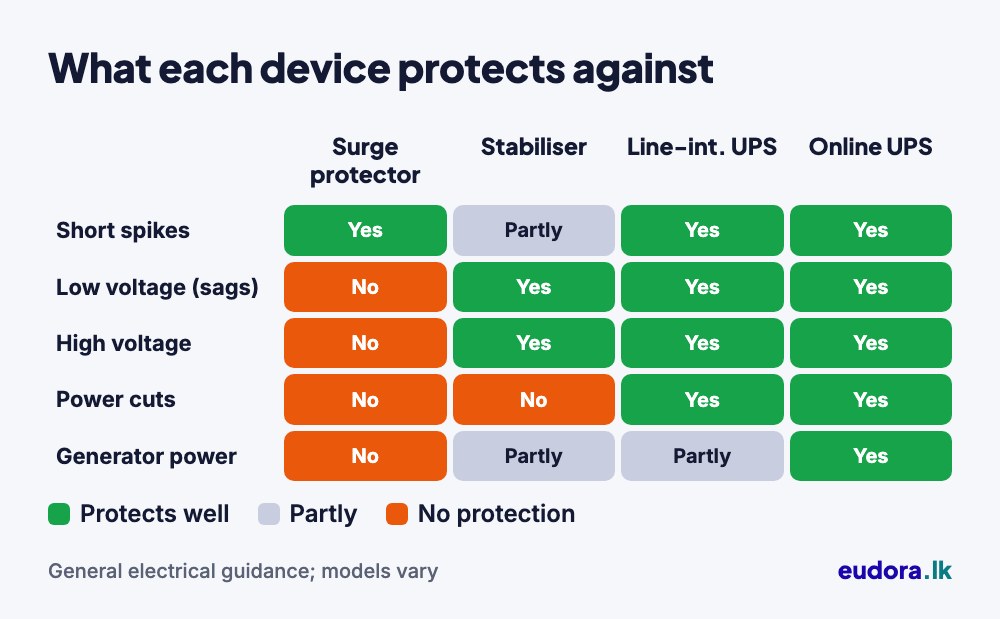
A surge protector contains components, usually metal oxide varistors, that divert excess voltage to earth when a spike arrives. A good one is rated in joules (how much energy it can absorb), has a clamping voltage (the level at which it starts working) and shows an indicator light that goes out when its protection is used up. Surge protectors wear out: each large surge uses part of their capacity, so a unit that has been through several storms may no longer protect anything even though the sockets still work.
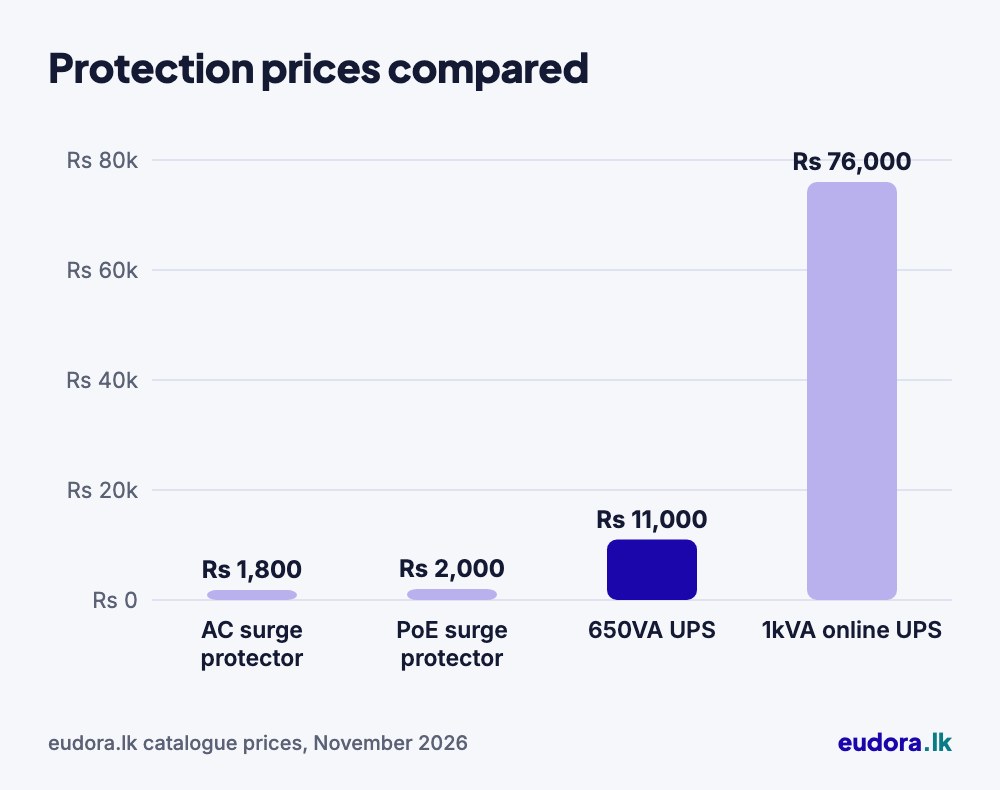
Surge protection only works with a proper earth. In older buildings with poor or missing earthing, a surge protector has nowhere to send the energy. For CCTV, a dedicated AC surge protector for the recorder’s power, such as the Red-Link unit at Rs 1,800, and a PoE surge protector on long outdoor network runs, such as the Red-Link SPD-POE1000E at Rs 2,000, stop surges travelling along camera cables into the recorder. Our article on protecting CCTV from lightning covers that in detail.
Warning: A cheap multi-plug extension board with a light is not necessarily a surge protector. Check that the packaging states a joule rating and surge protection standard, and replace it after a nearby lightning strike.
Voltage regulators (AVR and stabilisers)
An automatic voltage regulator, often called a stabiliser, measures the incoming voltage and switches internal transformer taps to raise or lower it, keeping the output close to 230 volts. That protects motors and compressors in refrigerators, air conditioners and washing machines from low voltage, which makes them draw more current and run hot. AVRs are common for fridges and TVs in areas with poor supply.
A regulator cannot help in a power cut, and its switching takes a few milliseconds, so a computer may still restart during a sudden dip. For computers and network equipment, a UPS is the better choice, because a line-interactive UPS already includes AVR.
Line-interactive UPS
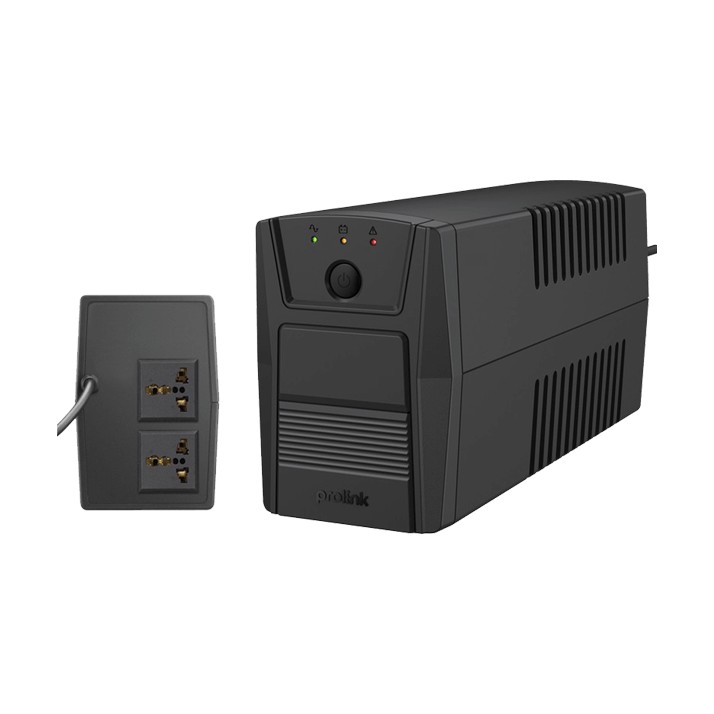
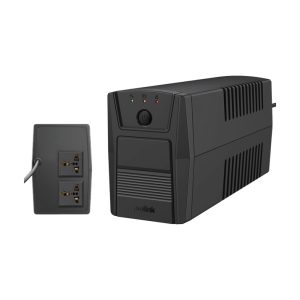
A line-interactive UPS is the most common type for homes and small offices. Normally it passes mains power through to the equipment, correcting voltage with its built-in AVR and filtering small surges. When power fails or voltage goes outside its range, it switches to its battery within a few milliseconds, fast enough that computers keep running. Runtime depends on the load and battery: a 650VA unit typically runs a desktop and monitor for several minutes, or a router and ONT for much longer.
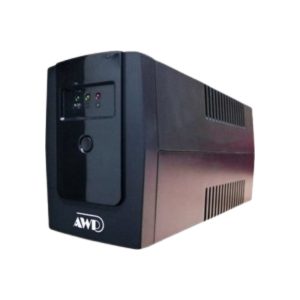
The PROLiNK PRO701SFC at Rs 11,000 and the AWP AID650 at Rs 9,900 are 650VA line-interactive units suited to one computer, a router or a small CCTV recorder. For a CCTV recorder, a surge protector plus a 650VA UPS comes to Rs 12,800. Our UPS buying guide explains sizing and runtime.
Online UPS
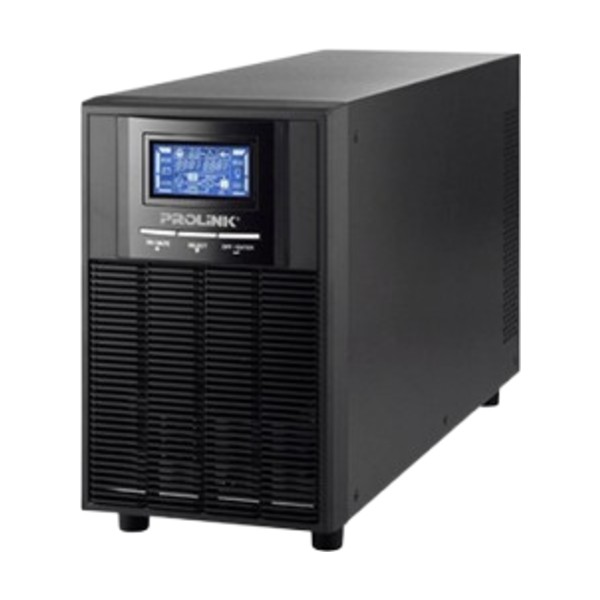
An online, or double-conversion, UPS works differently. It converts all incoming power to DC, charges the battery, and generates fresh AC power for the equipment all the time. There is no switch-over at all when power fails, and the output stays at a steady voltage and frequency regardless of what the mains is doing. That makes it the right choice for servers, network cores, medical equipment, and sites where voltage swings badly or a generator supplies rough power.
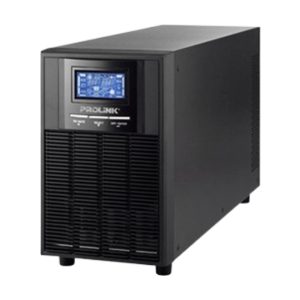
The PROLiNK PRO901ES 1kVA online UPS costs Rs 76,000, which is Rs 65,000 more than a 650VA line-interactive unit. The extra cost buys cleaner power and better handling of generators, but most home computers do not need it. Our comparison of online and line-interactive UPS units goes into more detail.
Generators, solar inverters and power returning
Many businesses and an increasing number of homes run a generator or a solar inverter with batteries for backup. Both change the picture. Small generators often produce voltage and frequency that drift under changing load, which some line-interactive UPS units treat as a fault and switch to battery repeatedly, draining it. An online UPS copes much better, because it rebuilds the power from scratch. Hybrid solar inverters usually switch over quickly and produce clean output, but a short gap during switch-over can still restart a desktop or recorder without its own UPS.
The moment power returns after a cut is a risk in itself. Every fridge, air conditioner and pump restarting at once causes a dip followed by a spike. Regulators with a restart delay, and UPS units that hold equipment on battery until the supply settles, protect against this. If you control a changeover switch manually, wait a minute after mains returns before switching heavy loads back.
Which protection for which equipment?
| Equipment | Recommended protection | Why |
|---|---|---|
| Desktop computer | Line-interactive UPS | Rides through cuts and sags, time to save work |
| Laptop | Surge protector on the charger | Battery already covers power cuts |
| Router, ONT and phone system | Small line-interactive UPS | Keeps internet and calls working during cuts |
| CCTV recorder | UPS plus surge protection on camera cables | Keeps recording; protects against lightning on long runs |
| Server or NAS | Online UPS with shutdown software | Clean power, safe automatic shutdown |
| TV and sound system | Quality surge protector | Spikes are the main risk |
| Refrigerator | Voltage regulator with delay timer | Protects the compressor from low voltage and restart spikes |
Lightning: protect in layers
A direct lightning strike will damage almost anything, but most lightning damage comes from strikes nearby that induce surges in power lines, telephone lines, cable TV and long outdoor data cables. Layered protection reduces the risk: a surge protection device at the main distribution board, fitted by a qualified electrician, surge protectors at important equipment, and surge protection on every cable that runs outside, such as camera cables and links to other buildings. Good earthing ties it all together. During a severe storm, unplugging valuable equipment and disconnecting the internet cable is still the surest protection.
After a power event
After a storm or a long cut, check that UPS units have recharged and are not showing faults, that the CCTV recorder restarted and is recording, and that surge protector indicator lights are still lit. Replace surge protectors that have taken a big hit and UPS batteries that no longer hold charge, typically every three to four years. Our CCTV maintenance checklist includes these checks, and our network rack guide shows how to power office network equipment neatly.
Frequently asked questions
Does a UPS protect against surges?
A line-interactive or online UPS filters everyday surges, but very large lightning surges can still damage it. Add surge protection at the board and on outdoor cables.
Do I need a stabiliser if I have a UPS?
Not for the equipment on the UPS, because line-interactive and online units regulate voltage. Fridges and air conditioners on their own circuits may still need a stabiliser.
Can I plug a fridge into a UPS?
Not into a typical computer UPS. Compressors draw a large starting current and need a regulator or an appropriately sized inverter.
How long does a surge protector last?
It depends on the surges it absorbs. Replace it after a nearby lightning strike or when its protection light goes out.
Is an online UPS worth it at home?
Usually not for a home computer. It is worth it for servers, NAS units and sites with very unstable voltage or generator power.

Eudora Technology is a Kandy-based team working on CCTV, networks, IT support, cloud and websites for homes and businesses across Sri Lanka.